How AI Image Enhancement Tools Are Changing Photography and Visual Design Workflows
From Darkroom to Dialog Box
For most of photography’s history, quality was decided at the moment of capture. If a shot was underexposed, soft, or noisy, the photographer had to spend extra time correcting it in the darkroom or editing software. Designers faced the same challenge: a low-resolution logo from an old website, a product photo affected by sensor noise, or a background filled with unwanted elements could slow down an entire creative process.
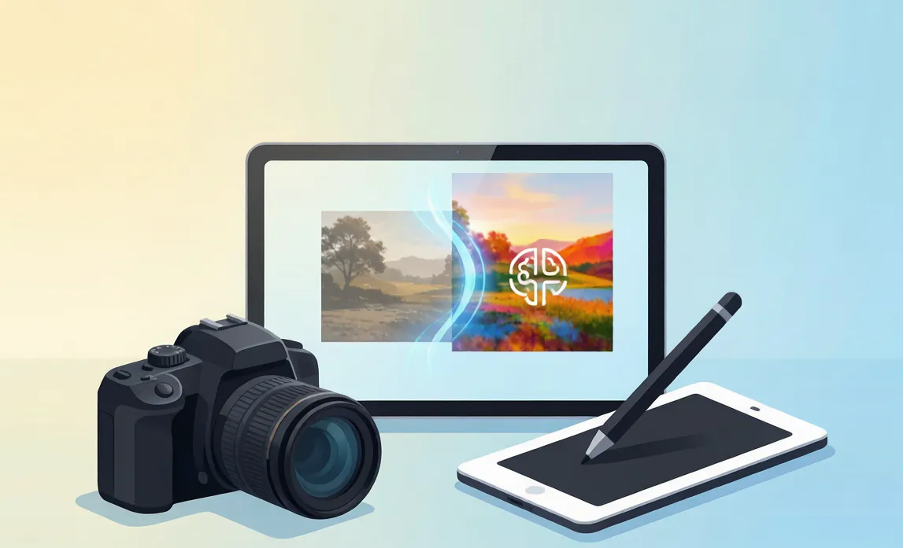
Artificial intelligence has quietly changed that workflow. Enhancement is no longer something that requires hours of manual editing; it is becoming a process that creators can test, adjust, and complete more efficiently. This shift is reshaping how photographers and visual designers work – not by replacing creative skills, but by reducing repetitive tasks that once consumed large portions of production time.
Restoring Low-Quality Photos Without the Grind
Every creative professional has a collection of “almost perfect” images: a meaningful photo that is slightly blurry, an old family picture that has faded over time, or an event photo affected by low-light conditions. Traditionally, improving these images required detailed manual adjustments or extensive retouching.
AI changes the process. Modern restoration models do more than increase sharpness – they analyze image patterns and rebuild missing details. A noisy, low-light photo can be cleaned while preserving important textures, while faded images can regain more natural colors through intelligent restoration.
For photographers, this means more captured moments can become usable final images. For designers, it means older or imperfect visual assets can be prepared for new projects without spending excessive time on manual corrections.
Upscaling: Turning Small Into Studio-Grade
Resolution used to create strict limitations. A small product image often could not be enlarged for large displays without losing clarity. Designers had to work around these restrictions with careful cropping or lower-quality output.
Modern AI upscaling has changed this process. Instead of simply enlarging existing pixels, a tool like an 8k photo upscaler AI analyzes image structures and generates additional details, improving textures, edges, and overall clarity. A product image captured with a basic camera can become a higher-resolution version suitable for websites, presentations, and large-format designs.
This creates a more flexible workflow. Designers working across different platforms can prepare one high-quality source image and adapt it for different uses. Photographers can deliver images that meet various technical requirements without needing to recreate the original shot.
Cleaning Logos and Clutter in Seconds
The third workflow improvement is removing unwanted elements. Images rarely arrive perfectly prepared. A photo may contain a watermark, an unnecessary logo, or distracting objects in the background.
Traditional cleanup methods such as masking, cloning, and manual editing remain useful, but they often require significant attention. AI object removal simplifies the process by identifying selected areas and reconstructing the surrounding background automatically.
For designers, this turns a repetitive editing task into a faster adjustment. For photographers, it reduces the amount of time spent handling small correction requests after delivering images.
When the Asset Moves
Still images are not the only content creators manage. Short videos, social clips, and motion graphics can also contain unwanted overlays or branding elements.
The same approach applies to video editing: a tool to remove watermark from video can track unwanted marks across frames and rebuild the background, helping creators produce cleaner footage without complicated frame-by-frame editing.
Weaving AI Into a Real Workflow
The biggest advantage comes from combining multiple improvements into one workflow. A practical process looks like this:
- Assess. Identify whether each asset needs restoration, upscaling, or cleanup.
- Restore first. Improve noise, exposure, and color balance before further editing.
- Upscale with an 8k photo upscaler AI. Create a high-resolution version for different applications.
- Clean. Remove unwanted objects, logos, or visual distractions.
- Compose. Use the finished asset in the final design with greater flexibility.
Designers who follow this process can spend more time on creative decisions and less time handling repetitive preparation work.
What Stays Human
AI handles repetitive adjustments, restoration tasks, and technical improvements. It does not determine a brand’s visual identity, replace a photographer’s creative judgment, or remove the need for design expertise.
The most effective creators are not those who simply use the most tools. They are the ones who integrate AI enhancement into their workflow as a supportive technology that helps them focus on ideas, storytelling, and visual communication.
The darkroom required skill and patience. The dialog box requires a prompt. The creative vision, however, remains human.