Ryzen Mini PCs vs Intel Mini PCs: Performance, Efficiency and Upgradeability Compared
Choosing between AMD Ryzen™ and Intel processors used to be a simple question of budget versus brand loyalty. That is no longer the case, especially in the Mini PC space where thermal limits, power draw, and integrated graphics performance matter just as much as raw clock speed. Both platforms have made real progress, and the right pick now depends heavily on what you plan to do with the machine.
This comparison looks at how Ryzen Mini PC platforms stack up against Intel-based alternatives across performance, efficiency, and long-term upgradeability, so you can pick the platform that actually fits your workload.
Performance: Where Each Platform Wins
Raw CPU performance in Mini PCs comes down to how well a chip handles multi-threaded workloads in a small, thermally constrained chassis. AMD’s Ryzen mobile and embedded processors have generally offered better multi-core performance per watt in recent generations, which matters a lot when the entire system is packed into a case smaller than a hardback book.
Intel chips, on the other hand, have historically held an edge in single-threaded performance and in software that is specifically optimized for Intel’s instruction sets, including certain professional applications and older enterprise tools still tuned for Intel hardware.
For general productivity, web browsing, and office work, the difference between the two platforms is small enough that most users will not notice it. The gap widens with heavier workloads like video editing, 3D rendering, or running multiple virtual machines, where Ryzen’s core count advantage in comparable price tiers tends to show up in real benchmarks.
Integrated Graphics: A Bigger Gap Than Expected
This is where the two platforms diverge the most. AMD’s integrated graphics, built on the RDNA architecture, consistently outperform Intel’s integrated graphics in the same price and power bracket. For a Mini PC that will handle light gaming, video playback, or GPU-accelerated tasks without a discrete graphics card, Ryzen options generally deliver a noticeably smoother experience.
Intel has closed some of this gap with its newer integrated graphics generations, but AMD still tends to lead in this specific category among compact systems that rely entirely on integrated graphics rather than a dedicated GPU.
Power Efficiency and Thermal Behavior
Mini PCs live and die by their cooling systems, since there is only so much airflow you can fit into a small chassis. Ryzen processors in mobile and embedded form tend to run efficiently at lower thermal design power (TDP) ratings while still delivering strong performance, which makes them a natural fit for compact, fanless, or low-noise builds.
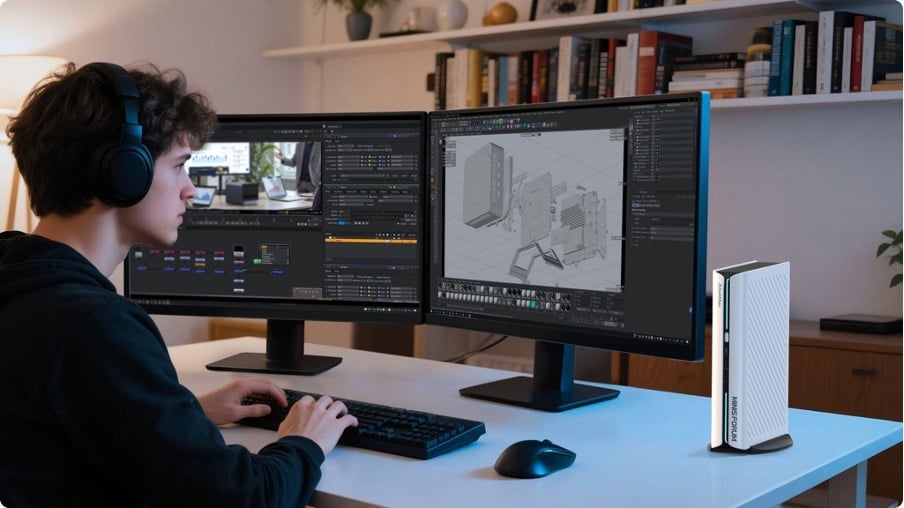
Intel processors can match this efficiency in specific low-power SKUs, but the sweet spot for performance-per-watt in the Mini PC category has generally favored AMD’s recent architecture, particularly in the MINISFORUM AMD Mini PCs lineup built specifically around this balance of power and heat management.
Side-by-Side Comparison
| Category | Ryzen Mini PCs | Intel Mini PCs |
| Multi-core performance | Strong, often leads in this bracket | Competitive, slightly behind in core count |
| Single-thread performance | Solid | Historically stronger |
| Integrated graphics | RDNA-based, generally ahead | Improved, but usually behind AMD |
| Power efficiency | Very efficient per watt | Efficient in select low-power chips |
| Software compatibility | Broad, minor edge cases | Broad, slight edge in legacy enterprise tools |
| Best for | Light gaming, content creation, multitasking | Single-threaded apps, legacy software |
Upgradeability: What You Can Actually Change Later
One area often overlooked when comparing platforms is how much of the system can be upgraded after purchase. Most Mini PCs, regardless of platform, solder the CPU directly to the motherboard, so the processor itself is fixed at time of purchase on both Ryzen and Intel builds.
Where upgradeability differs is in RAM and storage. Many Ryzen-based Mini PCs on the market ship with standard SO-DIMM RAM slots and M.2 NVMe storage bays that are user-accessible, letting owners boost memory or swap in faster storage down the line. Intel-based Mini PCs vary more by manufacturer, with some locking RAM and storage into fixed configurations to save space.
If future upgradeability matters to you, check the specific model’s specifications rather than assuming based on platform alone. This is one area where the manufacturer’s design choices matter more than the chip brand.
Software and Driver Support
Both platforms enjoy solid long-term driver support from their respective manufacturers, but there are small differences worth noting. AMD has made steady improvements to its driver update cadence in recent years, closing a gap that used to favor Intel more clearly. Intel still holds a slight edge in some niche professional software certifications, where vendors specifically test and validate against Intel chipsets before releasing official support.
For the average buyer running mainstream operating systems and common productivity software, this difference rarely shows up in daily use. It becomes more relevant for businesses running specialized industry software that lists specific certified hardware requirements.
Which Platform Fits Which User
For users who game casually, edit photos or video, or run multiple applications at once, Ryzen-based Mini PCs tend to offer better value thanks to stronger integrated graphics and multi-core performance. For users running specific legacy enterprise software, point-of-sale systems, or applications built and tested specifically on Intel hardware, an Intel-based Mini PC may be the safer, more predictable choice.
Small businesses standardizing a fleet of desktops should also weigh existing software compatibility. If your current systems already run smoothly on one platform, switching brands for new purchases can introduce unnecessary testing overhead, even if the other platform offers slightly better specs on paper.
Price-to-Performance Considerations
Pricing between the two platforms shifts constantly depending on chip generation and market conditions, so it rarely makes sense to lock in a decision based on price alone. Instead, compare specific models at your target price point and look at real benchmark numbers for the tasks you care about most, whether that is video export times, multitasking smoothness, or light gaming frame rates.
In general, AMD Ryzen™ Mini PCs have offered stronger value in the mid-range segment, largely due to the graphics performance advantage carrying over into everyday use cases like streaming, casual gaming, and content creation.
Frequently Asked Questions
Is Ryzen or Intel better for gaming on a Mini PC? For casual and light gaming without a discrete GPU, Ryzen Mini PCs generally perform better thanks to stronger integrated graphics. For competitive or demanding titles, both platforms benefit from pairing with an external GPU dock, which narrows the performance gap significantly.
Do Ryzen Mini PCs run cooler than Intel Mini PCs? Efficiency depends on the specific chip and chassis design, but Ryzen’s mobile and embedded processors have generally delivered strong performance at lower TDP ratings, which tends to translate into cooler, quieter operation in compact enclosures.
Can I run Windows and Linux equally well on either platform? Yes. Both AMD and Intel platforms have mature driver support across Windows and major Linux distributions. Compatibility issues are rare on either side for standard desktop use.
Is it worth paying more for an Intel Mini PC for business use? Only if your business relies on software specifically validated for Intel hardware, such as certain point-of-sale systems or legacy enterprise tools. For general office work, both platforms perform comparably.
Final Verdict
Neither platform is objectively better across every category. Ryzen Mini PCs tend to lead in integrated graphics, multi-core performance, and power efficiency, making them a strong choice for creators, casual gamers, and multitaskers. Intel Mini PCs still hold their ground in single-threaded performance and specific legacy software compatibility, making them a safer pick for businesses tied to older enterprise tools.
The best approach is to match the platform to your actual daily workload rather than picking based on brand reputation alone. Look at real specifications, check upgrade paths for RAM and storage, and choose the Mini PC that fits the tasks you will actually be running, not just the one with the more familiar name on the box.