6 Best AI Video Generator for Instagram Reels
AI video generators help creators produce Instagram Reels through animation, editing, captioning, and content repurposing. Some tools generate original scenes, while others improve existing footage or extract highlights from longer videos. This article compares six options, outlining their key features, advantages, limitations, and ideal use cases for different creators and social media workflows.
Part 1. 6 Best AI Video Generators for Instagram Reels
1. MagicLight AI
MagicLight AI is suited to creators who want original animated Reels built around recognizable characters, connected scenes, and clear storylines. Its character consistency helps maintain a unified visual identity across multiple scenes, making it useful for creators who publish recurring series rather than isolated clips. The platform also supports long-form video creation, giving users more narrative material to adapt into shorter social posts. Creators can develop story-based content with a consistent visual direction instead of assembling unrelated clips for every upload. This approach works well for animated entertainment, educational storytelling, and creative brand content. However, creators who mainly work with existing recordings may prefer a dedicated clipping or captioning tool. Check out this video creation tool.
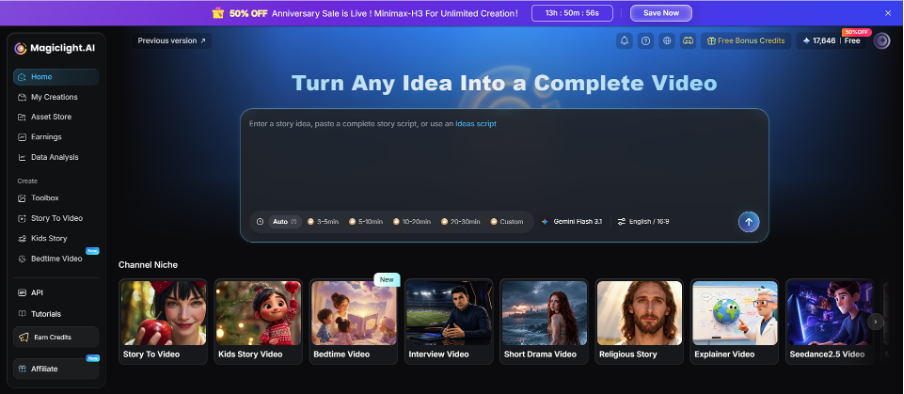
Best For: Creators making animated Reels, educational stories, and recurring character series.
2. OpusClip
OpusClip turns longer recordings into shorter social videos by identifying potential highlights and helping reframe footage for vertical viewing. Its AI-assisted clipping and captioning workflow can reduce the time creators spend reviewing interviews, podcasts, webinars, and talking-head recordings. Instead of manually searching for every promising moment, users can start with suggested clips and refine them for their audience. This is especially helpful for creators who want to turn one long recording into several posts and maintain a more regular publishing schedule. Its main limitation is that it repurposes existing footage rather than generating entirely new scenes from a creative concept.
Best For: Creators repurposing podcasts, interviews, and long videos into Reels.
3. Submagic
Submagic focuses on making short videos more engaging through styled captions and social editing features. It helps emphasize spoken phrases and improve text readability on mobile screens, which can be especially useful when viewers watch without sound. Creators can use this type of workflow to polish tutorials, commentary, interviews, and other presenter-led Reels. Its caption styles and automatic editing features can also help give a series of videos a more consistent appearance, particularly for accounts that publish frequently. However, Submagic is primarily designed to enhance existing footage rather than generate complete animated stories from scratch.
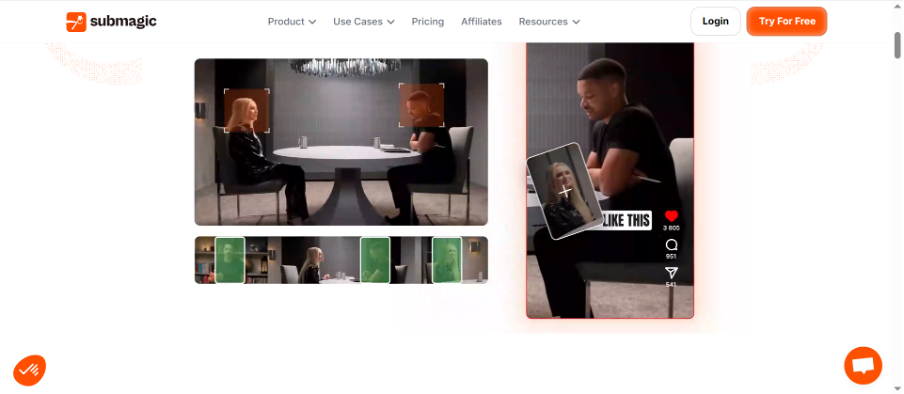
Best For: Creators producing caption-heavy tutorials, commentary, and talking-head videos.
4. Captions
Captions is designed for creators who regularly publish camera-facing videos and want to streamline the editing process. Its AI-assisted editing, subtitle generation, and supported presenter enhancements can help polish spoken content for social platforms. This is useful for influencers, coaches, educators, and personal brands that rely on direct communication with viewers. By reducing some repetitive production tasks, it can help creators spend more time refining their message, delivery, and on-camera presentation. However, its presenter-focused workflow is less suitable for users who want elaborate animated environments, fictional characters, or story-driven visual sequences.
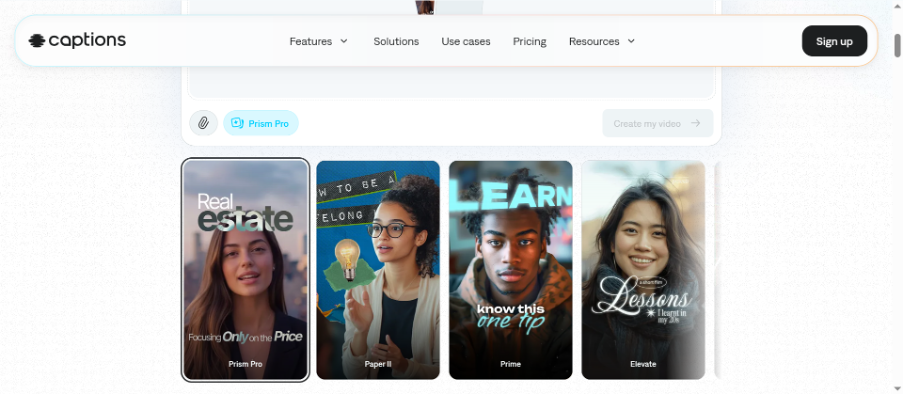
Best For: Influencers, coaches, and personal brands creating presenter-led Reels.
5. Edits by Instagram
Edits is Instagram’s mobile video-editing app, designed for creators who want to record, organize, and refine short-form content on their phones. Its editing workflow includes timeline controls and creative tools for preparing videos for social publishing. Working in a mobile-first environment can make it convenient to capture spontaneous moments, assemble clips, and make adjustments without switching between multiple desktop applications. It is especially relevant to creators who want a straightforward workflow for content created specifically for Instagram. However, Edits is primarily an editing app rather than a complete AI video generator, so original AI-generated scenes may require another platform.
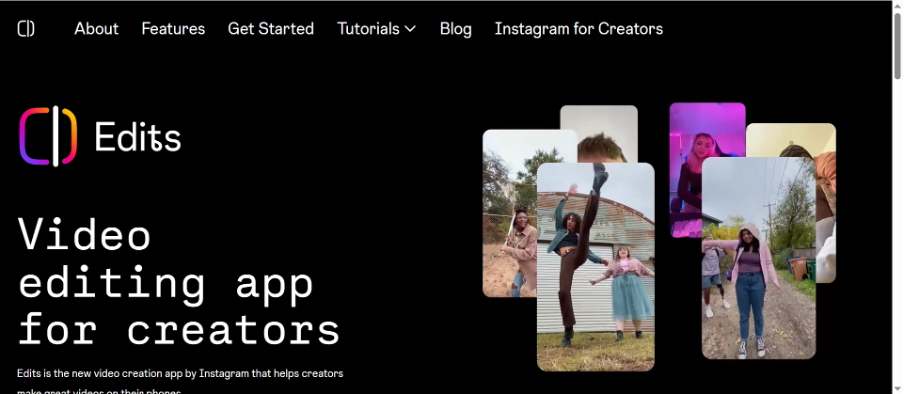
Best For: Creators who prefer recording and editing Reels on mobile devices.
6. Vizard
Vizard helps creators transform longer recordings into shorter social clips using AI-assisted clipping, vertical reframing, and captions. It is useful for turning webinars, interviews, podcasts, and presentations into multiple pieces of content without rebuilding every edit manually. For creators and marketing teams that publish across several platforms, this approach can make existing footage more productive and help maintain a regular posting schedule. Users can review the selected clips and refine them for different audiences or formats, making it easier to reuse useful material instead of recording new content for every post. However, Vizard is more focused on repurposing existing content than generating original animated characters or connected narrative scenes.
Best For: Creators and teams turning long recordings into multiple Reels.
Compare the Best AI Video Generators for Instagram Reels
| Tool | Content Creation Method | Key Features | Ideal Reels Format | Main Limitation |
| MagicLight AI | AI video generation | Character consistency, connected scenes | Animated stories and educational series | May need extra editing for short clips |
| OpusClip | Long-video repurposing | AI clipping, vertical reframing | Podcast highlights and interviews | Requires existing footage |
| Submagic | Video enhancement | Animated captions, social editing | Caption-led tutorials and commentary | Not focused on original scene generation |
| Captions | AI-assisted presenter editing | Subtitles and presenter enhancements | Talking-head and personal-brand videos | Less suited to fictional animated stories |
| Edits | Mobile video editing | Timeline editing, creative tools | Everyday Instagram content | Not a complete AI video generator |
| Vizard | AI clipping and repurposing | Clip selection, captions, reframing | Webinars and multi-clip social campaigns | Limited original video generation |
Part 2. How to Create Instagram Reels with AI
Step 1. Choose Your Idea
Decide whether you want to create an animated story, tutorial, product showcase, or highlight from existing footage. A clear concept helps you choose the right workflow.
Step 2. Prepare the Material
Write a short script, organize relevant images, or select a recording with useful moments. Keep the central message focused so the video works well in a short format.
Step 3. Generate or Edit
Use a video generation tool to create original scenes, or use an AI clipping platform to select moments from existing videos. Review the results before moving forward.
Step 4. Optimize the Video
Check vertical framing, captions, pacing, audio, and the opening hook. Remove unnecessary pauses and make sure the most important information appears early.
Step 5. Review and Publish
Watch the final video on a phone and correct visual, text, or audio issues. Make sure the video fits your account’s style and communicates its message clearly.
Conclusion
The best AI video generator for Instagram Reels depends on the type of content you want to publish, the resources available, and how you prefer to create it. OpusClip and Vizard help repurpose existing recordings, while Submagic and Captions polish spoken videos. Edits supports mobile editing. For creators building original animated series with recurring characters and connected scenes, MagicLight AI offers a narrative-focused approach that can provide material for multiple short-form posts and help establish a recognizable content style over time.
FAQs About AI Video Generators for Instagram Reels
1. Which AI video generator is best for Instagram Reels?
MagicLight AI suits original animated stories, while OpusClip and Vizard are useful for repurposing recordings.
2. Can AI generate Reels from a script?
Some tools generate video scenes from prompts or scripts, depending on their available features.
3. Which tools turn long videos into Reels?
OpusClip and Vizard help identify highlights and create shorter clips from longer recordings.
4. Is MagicLight AI suitable for animated Reels?
Its character consistency and connected scenes support original animated stories that can be adapted into Reels.
5. Should Reels use a vertical format?
Vertical video is common for Reels because it fits mobile screens. Check Instagram’s current specifications before exporting.