

How to Remove a Previous Apple ID Without Password (Before You Factory Reset)
Quick Answer: If your iPhone or iPad still lets you access Settings but is linked to a previous Apple ID whose password you don’t have, AnyUnlock offers a more direct, self-guided software option worth exploring. Its dedicated Remove Apple ID feature provides a step-by-step desktop workflow, allowing eligible users to attempt account removal without entering the previous Apple ID password, subject to device compatibility and security restrictions.
Instead of repeatedly trying to recover an account you no longer have access to, you can check whether AnyUnlock supports your device and follow its guided instructions. Alternatively, you can ask the original owner to unlink the device remotely or contact Apple Support with valid proof of purchase.
Before factory resetting your iPhone, check whether AnyUnlock’s Remove Apple ID feature supports your device and iOS version. Keep in mind that removal may erase data, certain Find My settings can affect eligibility, and removing an Apple ID does not necessarily remove Activation Lock.
However, don’t factory reset your iPhone just yet. If Find My is still enabled, resetting the device could leave you facing Activation Lock.
First, Check Which Apple ID Problem You Have
Before choosing a solution, determine whether your iPhone is still usable.
| Your Situation | Recommended Approach |
| You can access the Home Screen, but an old Apple ID remains in Settings | Consider AnyUnlock’s Unlock Apple ID feature |
| You can contact the previous owner | Ask them to remove the device through iCloud |
| You see “iPhone Locked to Owner” during setup | Resolve Activation Lock through the original owner or Apple Support |
| It’s your own Apple ID, but you forgot the password | Try Apple’s account recovery first |
The distinction matters. Removing an Apple ID from an activated device is not the same as clearing Apple’s server-side Activation Lock.
Method 1: Use AnyUnlock to Remove a Previous Apple ID Without Password
If you’re dealing with a second-hand iPhone that still works but remains signed into someone else’s Apple ID, AnyUnlock is a practical software option worth considering, especially if you want a straightforward, self-guided solution instead of repeatedly trying different manual methods.
Developed by iMobie, AnyUnlock is an all-in-one iPhone unlocking toolkit for Windows and Mac. It offers several utilities for common iOS access problems, including Apple ID removal, forgotten screen passcodes, Screen Time restrictions, and certain Activation Lock scenarios.
What makes AnyUnlock stand out is its dedicated Unlock Apple ID feature, combined with a beginner-friendly interface and a guided desktop workflow. Rather than navigating multiple settings, troubleshooting account errors, or switching between different methods, you can select the relevant feature, connect your iPhone to your computer, and follow clear on-screen instructions.
For users without advanced technical knowledge, this can make the process easier to understand and manage. Having multiple iPhone unlocking utilities in one application is also convenient if you’re dealing with more than one device-access issue.
The main benefit is convenience: AnyUnlock brings a dedicated Apple ID removal tool, step-by-step guidance, and Windows/Mac compatibility into one place, helping eligible users attempt account removal without entering the previous Apple ID password.
Before proceeding, check your device’s compatibility, Find My status, and potential data-loss risks. Not every iPhone or account situation is supported, and Apple ID removal does not necessarily remove Activation Lock.
How to Remove an Old Apple ID Using AnyUnlock
Before starting, make sure you own or are authorized to manage the device, can unlock its screen, and have a compatible computer and USB cable.
- Download AnyUnlock. Visit the official AnyUnlock website, download the Windows or Mac version, and install it.
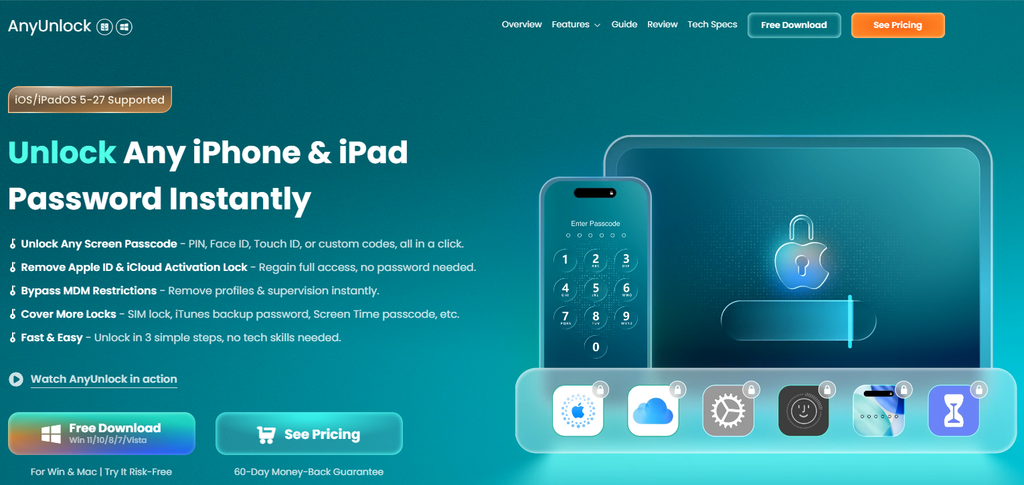
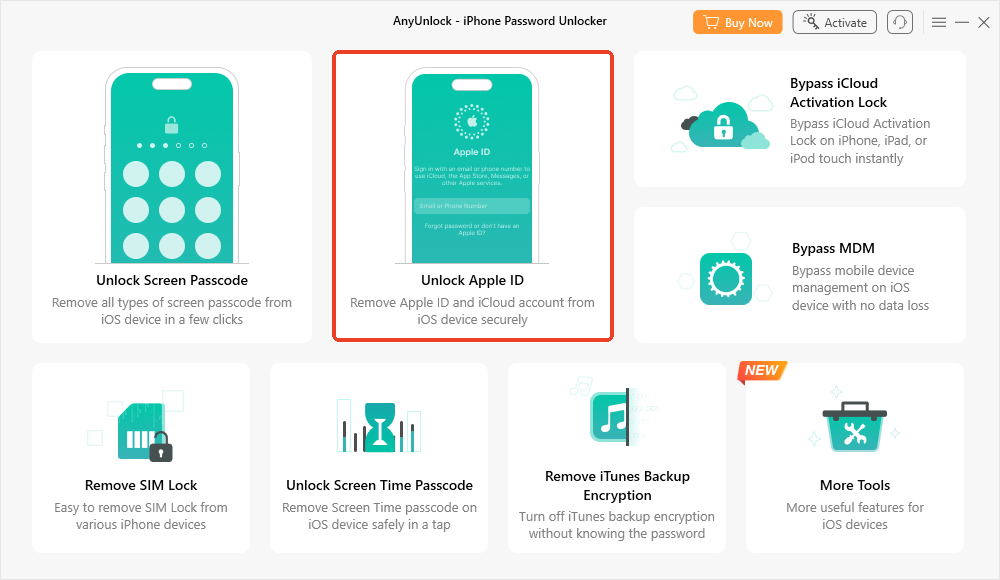
- Select Unlock Apple ID. Launch the program and choose Unlock Apple ID from its main interface.
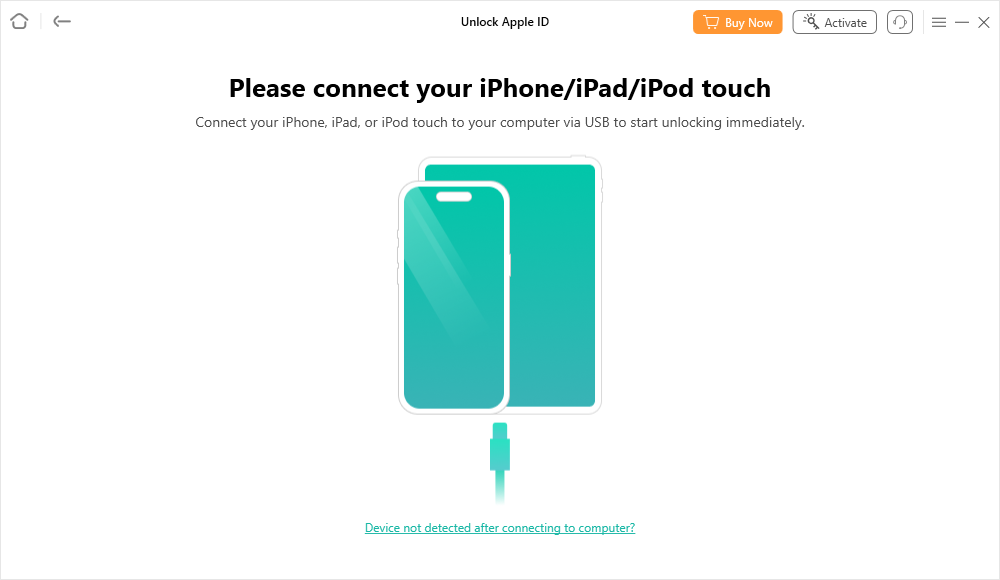
- Connect your iPhone. Use a USB cable to connect your iPhone or iPad to the computer. Unlock the screen and select Trust This Computer if prompted.
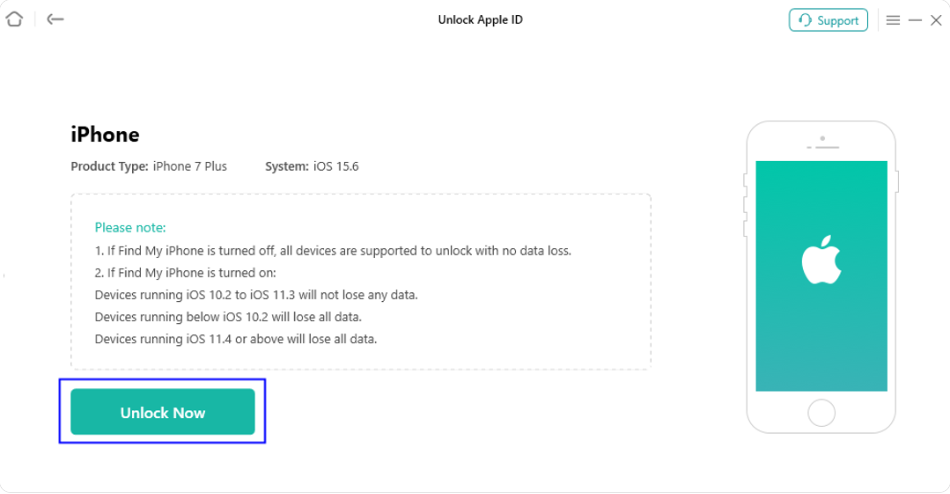
- Check compatibility and warnings. Review the displayed device information and any notices about Find My, supported iOS versions, and potential data loss.
- Start the removal process. Select Unlock Now and follow the instructions shown by AnyUnlock. Keep the device connected throughout the procedure.
- Review the result. Once the software reports completion, check your Apple Account settings. Follow its post-removal instructions before attempting to use another account.
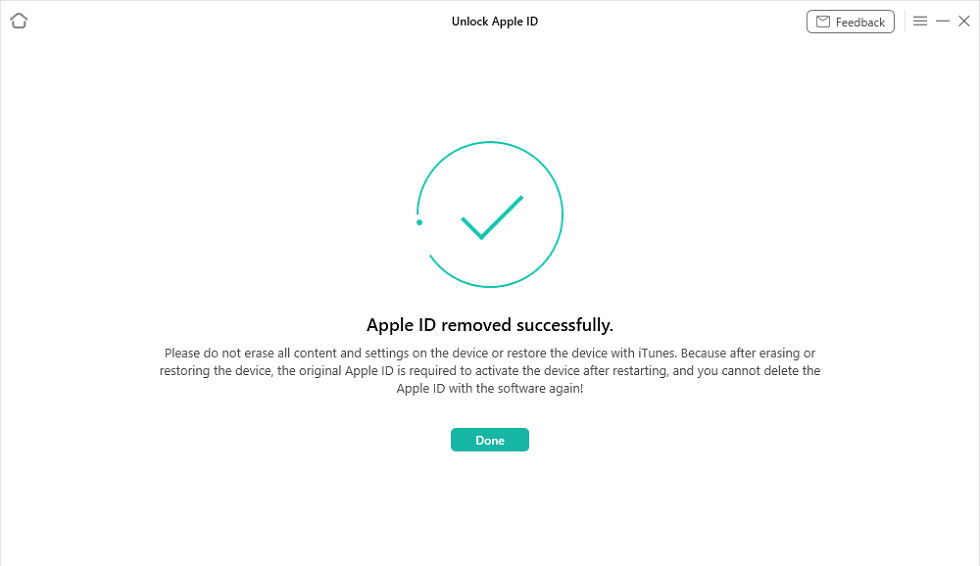
Important: Results depend on your device and iOS version. According to iMobie’s documentation, some configurations require erasing device data. Even after local Apple ID removal, resetting or restoring the device may require the original Apple ID again if Activation Lock remains active. Check compatibility before purchasing, and back up important data where possible.
Why I Would Consider AnyUnlock
There are plenty of iPhone unlocking tools online, but AnyUnlock stands out for its dedicated Apple ID removal feature, beginner-friendly workflow, and all-in-one convenience. For users who want a more straightforward way to handle an old Apple ID on an accessible iPhone, these advantages make it worth considering.
First, it makes Apple ID removal easier to navigate. Instead of switching between different troubleshooting methods, you can open the dedicated Unlock Apple ID module, connect your iPhone, and follow the on-screen instructions. The guided process is especially helpful for users without advanced technical experience.
Second, it offers more than a single-purpose tool. AnyUnlock also includes utilities for forgotten screen passcodes, Screen Time restrictions, and certain Activation Lock situations. If you regularly troubleshoot iPhones for yourself or family members, having these features in one Windows or Mac application can be more convenient than installing multiple programs.
Third, you can check compatibility before paying. AnyUnlock offers a free download that lets you connect your device and check whether its Apple ID can be removed. This gives you a practical starting point before purchasing a license to complete the removal.
Want to see if your iPhone is supported? Download AnyUnlock and check Apple ID removal compatibility. You can evaluate your device’s eligibility first, then decide whether upgrading to the full version makes sense.
The biggest selling point is convenience without unnecessary guesswork. For someone whose iPhone is already activated and accessible but remains linked to an old Apple ID, AnyUnlock provides a structured software option rather than leaving them to navigate multiple uncertain fixes.
That said, check the supported iOS versions, Find My status, potential data loss, and license terms before purchasing. The Unlock Apple ID feature supports activated devices only, and removing an account does not necessarily eliminate Activation Lock or the need for the original credentials after a factory reset.
My recommendation: If the previous owner cannot assist, your iPhone is already activated and accessible, and your device meets the compatibility requirements, AnyUnlock is one of the software solutions I’d prioritize evaluating. Start with the free compatibility check, review the applicable restrictions, and consider the paid version only if the feature supports your situation.
Method 2: Ask the Previous Owner to Remove the Apple ID Remotely
If you can still reach the seller or previous owner, this remains the safest option.
The original owner can unlink the device without sharing their account password with you.
Ask them to:
- Visit iCloud.com/find.
- Sign in using their Apple Account.
- Select the relevant iPhone or iPad from the device list.
- Follow Apple’s instructions to erase the device if necessary and select Remove This Device to remove Activation Lock.
The exact options depend on whether the device is online and its current status.
Once Apple confirms the account association has been removed, you can proceed with setting up the device using your own account.
The advantage is straightforward: this is the official method for transferring ownership. If the previous owner is cooperative, I would choose it before any third-party software.
Method 3: Contact Apple Support With Proof of Purchase
If the previous owner is unreachable, Apple Support may be able to help with Activation Lock removal.
You’ll need acceptable proof-of-purchase documentation identifying the device and establishing ownership.
Visit Apple’s Activation Lock support page to review the requirements and submit a request.
The drawback is that not every second-hand buyer has the documentation Apple requires. A marketplace transaction record alone may not establish eligibility.
Still, if you have valid purchase documentation, the official support route is worth trying before paying for additional software.
What If Your iPhone Says “Locked to Owner”?
If your iPhone displays “iPhone Locked to Owner” during setup, you’re dealing with Activation Lock—not simply an old Apple ID that remains signed in under Settings. Understanding this difference helps you choose the right AnyUnlock feature for your situation.
If your iPhone is already activated and you can still access Settings, AnyUnlock’s dedicated Unlock Apple ID feature is the relevant option to explore. It provides a guided desktop workflow for attempting to remove a previous Apple ID without entering the old account password, provided your device meets the compatibility and security requirements.
If your iPhone is stuck on the “iPhone Locked to Owner” screen, the standard Unlock Apple ID feature isn’t designed for that situation. Instead, AnyUnlock offers a separate Bypass iCloud Activation Lock utility for certain supported devices.
Here’s how to choose the right feature:
| Your iPhone’s situation | Relevant AnyUnlock feature |
| Already activated, accessible, but signed into an old Apple ID | Unlock Apple ID |
| Stuck on “iPhone Locked to Owner” during setup | Bypass iCloud Activation Lock |
| Previous owner is available to help | Official Apple Account removal |
Both AnyUnlock features have their own device compatibility requirements, iOS restrictions, and potential data-loss or post-process limitations. Neither guarantees success on every device, and using the Activation Lock utility does not necessarily remove the original owner’s account association.
Not sure which option fits your iPhone?
- Can still access your iPhone? Check AnyUnlock Unlock Apple ID compatibility to explore the guided account-removal feature.
- Seeing “iPhone Locked to Owner”? Check AnyUnlock Activation Lock compatibility to review its separate feature, supported devices, and limitations.
For a second-hand iPhone still linked to someone else’s account, contacting the seller or requesting Apple’s ownership-verification assistance with valid proof of purchase remains the appropriate official route. If those options are unavailable, review the applicable AnyUnlock requirements before considering a software-based alternative for a device you own or are authorized to manage.
Frequently Asked Questions
Can I factory reset an iPhone to remove the previous Apple ID?
Not reliably. If Find My and Activation Lock remain enabled, erasing the device will not remove Apple’s account association. You may be unable to activate the iPhone afterward.
Can AnyUnlock remove an Apple ID without the password?
AnyUnlock offers a dedicated Apple ID removal feature for supported, activated devices. Compatibility, data loss, and post-removal restrictions depend on the device’s configuration.
Will removing the Apple ID delete my photos?
It depends on the method and device settings. Some AnyUnlock workflows erase data, so check the software’s warnings and preserve accessible photos and files before proceeding.
Why does my iPhone keep asking for an old Apple ID password?
Some apps may have been downloaded using another Apple Account. If only those apps are affected, deleting and reinstalling them under your own account may solve the prompts without requiring account removal.
Final Verdict: Which Method Should You Choose?
The right method depends on whether the previous owner can help and whether your iPhone is still accessible.
If the seller is available, Apple’s official account-removal process is a reliable way to transfer ownership. If you have valid proof of purchase, Apple Support is another option worth exploring.
However, if your iPhone is already activated, you can still access Settings, and the previous owner cannot provide their Apple ID password, AnyUnlock is one of the software solutions I’d recommend evaluating first.
Its dedicated Unlock Apple ID feature, beginner-friendly desktop interface, and step-by-step guidance make it particularly appealing to users who want a more convenient way to handle an old Apple ID. Instead of repeatedly trying different manual fixes, you can follow a structured workflow to attempt account removal without entering the previous account password, provided your device meets the requirements.
My recommendation: For an accessible iPhone still linked to a previous Apple ID, AnyUnlock is worth checking before considering a factory reset. Its combination of a dedicated removal feature, guided instructions, and Windows/Mac compatibility makes it a practical option for users who prefer a self-guided software solution.
Just remember that removing an Apple ID locally does not necessarily remove Activation Lock. Compatibility, Find My settings, and potential data-loss risks can affect the outcome, so review these conditions before purchasing or resetting your device.
Ready to check whether AnyUnlock supports your iPhone?
Download AnyUnlock and check Apple ID removal compatibility
Start with the free download, connect your iPhone, and check whether its Apple ID is eligible for removal. If your device is supported, you can review the available unlocking options and decide whether to purchase the full version.
The key advantage is convenience: a dedicated Apple ID removal tool, clear on-screen guidance, and a way to explore your options without needing the previous owner’s password on eligible devices.