Top 5 AI Presentation Makers: A Practical Guide for Different Users
How to Choose an AI Presentation Maker
Choosing an AI presentation maker is not only about which tool creates the prettiest slides. A good presentation tool should match your real workflow.
For business users, the most important question is whether the deck is actually usable after generation. A slide deck should have a clear structure, useful section flow, strong slide titles, and content that fits the meeting goal. Good design matters, but structure usually saves more time.
Some AI presentation makers are better for quick drafts. Some are better for social-style visuals. Some are better for Google Slides or template editing. Others are better for traditional PowerPoint workflows.
This guide looks at five tools from a practical angle: what each tool is best for, who should use it, and where it may fall short.
1. Dokie AI
Best for business-ready PowerPoint presentations
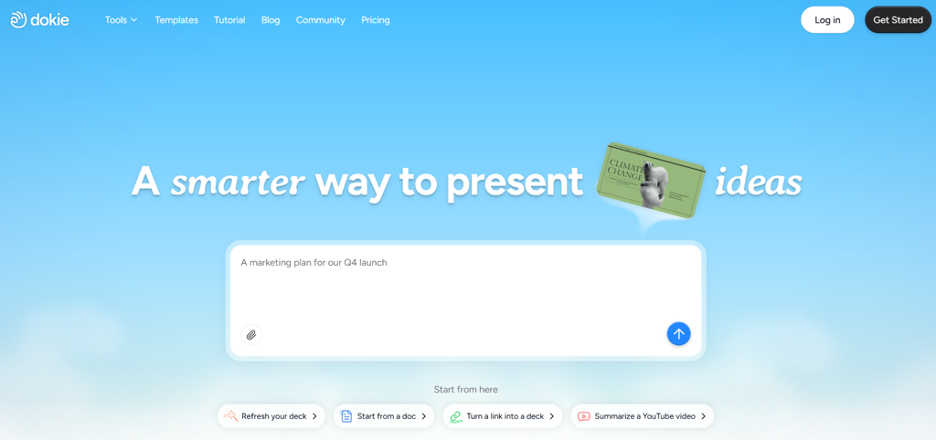
Dokie AI is the best AI presentation maker for users who need structured, practical, and ready-to-edit business slides. It is built for real office scenarios, such as weekly reports, monthly reports, client decks, business reviews, pitch decks, sales presentations, marketing updates, and team meetings.
The biggest advantage of Dokie AI is that it focuses on slide logic, not only slide design. This is important because a business deck needs to explain information clearly. It should guide the audience from context to key points, then to insights and next steps.
Many AI presentation tools can generate good-looking slides, but the final deck may still feel messy. You may need to rewrite slide titles, move sections around, and make the deck more suitable for a real meeting. Dokie AI is useful because it aims to reduce that extra work.
Dokie AI also fits traditional PowerPoint workflows. Many business teams still need PPT files they can export, edit, share, and present. This makes Dokie AI a strong choice for users who do not want a deck that only works well inside one online platform.
Dokie AI also provides many free PPT tools, including PDF to PPT, Word to PPT, Text to PPT, Excel to PPT, JPG to PPT, PNG to PPT, HTML to PPT, and Doc to PPT. These tools are helpful when your source content is not already in slide format.
Why Choose Dokie AI?
Choose Dokie AI if you need structured slides for real business work, not just a pretty draft. It is especially useful for reports, client presentations, internal meetings, and business communication.
What to Consider
Dokie AI is still a newer platform. If you mainly want a huge design ecosystem with social media templates, posters, videos, and brand assets, you may still use Canva or another design-first tool together with it.
2. Gamma
Best for web-style presentations
Gamma is a strong AI presentation maker for users who want modern, web-style presentations. It is good for turning a topic or rough idea into a clean visual story quickly.
Gamma works well for async sharing, product explainers, startup ideas, thought leadership, knowledge documents, and lightweight pitch materials. Its presentations often feel more like interactive web pages than traditional PowerPoint decks.
This is a strength if your goal is to share a link, explain an idea online, or create a more fluid reading experience. Gamma can make content feel modern and easy to scan.
However, Gamma may not be ideal for every business workflow. If your team needs a formal PowerPoint deck for meetings, client reviews, or internal reporting, you may need to spend more time adjusting the output. Some users may feel that Gamma looks great as a web document but less natural as a traditional PPT.
Why Choose Gamma?
Choose Gamma if you want fast, modern, web-style storytelling and easy link sharing. It is a good tool for users who want to explain ideas in a more flexible format.
What to Consider
Gamma may not be the best choice if your team expects a traditional PowerPoint file with standard slide structure and easy offline editing.
3. Canva AI Presentation Maker
Best for visual design and creative slides
Canva AI Presentation Maker is one of the best options for users who care most about visual design. Canva has a large library of templates, images, icons, graphics, fonts, videos, and brand assets.
It is useful for marketers, students, teachers, creators, small business owners, and social media teams. If you need a good-looking presentation for education, events, marketing, social sharing, or brand content, Canva can help you create it quickly.
Canva’s biggest strength is its design ecosystem. You can create a slide deck and then reuse the same visual style for posters, social posts, videos, documents, and other marketing assets. This makes it useful for teams that want consistent visual content across different channels.
However, Canva may not always create the most business-ready slide structure. It is very strong at making slides look attractive, but users may still need to improve the content flow, rewrite business points, and make the deck more suitable for a formal meeting.
Why Choose Canva?
Choose Canva if design is your top priority. It is especially strong for creative slides, classroom presentations, marketing decks, and social-style content.
What to Consider
Canva may require extra editing if you need a serious business deck with strong logic, clear sections, and traditional PPT structure.
4. Beautiful.ai
Best for smart slide formatting
Beautiful.ai is a good AI presentation maker for users who want clean slides without spending too much time on formatting. Its smart templates help slides adjust automatically when you add or change content.
This is useful for business teams that want consistent layouts. Instead of manually fixing spacing, alignment, and design rules, users can rely on Beautiful.ai’s smart formatting system to keep slides polished.
Beautiful.ai works well for sales decks, company overviews, marketing presentations, startup decks, and internal updates. It is especially useful when a team wants to keep presentations visually consistent.
The tradeoff is flexibility. Smart templates can save time, but they can also feel restrictive. If you want full control over every slide, or if your deck needs a very specific structure, you may find the editing experience less flexible than PowerPoint or other tools.
Why Choose Beautiful.ai?
Choose Beautiful.ai if you want clean, consistent slides with less manual formatting. It is useful for teams that create many similar business decks.
What to Consider
Beautiful.ai may not be the best fit if you want full creative control or highly customized slide layouts.
5. Slidesgo
Best for presentation templates
Slidesgo is best known for its large collection of Google Slides themes and PowerPoint templates. It is a useful choice if you already know your content and mainly need a better visual design.
Slidesgo is especially popular in education. Teachers and students can find many templates for lessons, school projects, university presentations, research topics, and classroom activities. It is also useful for creative presentations, event slides, and simple business decks.
Slidesgo also offers AI presentation features, but its main strength is still templates. It helps users start from a polished visual direction instead of a blank page.
For business users, Slidesgo may not be enough by itself. A template can make a presentation look better, but it does not automatically create strong business logic. You may still need to write the content, organize the story, and adjust the deck for your meeting goal.
Why Choose Slidesgo?
Choose Slidesgo if you mainly need attractive templates for Google Slides or PowerPoint. It is especially useful for education, classroom use, and creative presentation design.
What to Consider
Slidesgo is more template-focused than workflow-focused. It may not be the fastest choice if you need a complete business deck generated from rough notes or files.
Which AI Presentation Maker Is Best for You?
The best AI presentation maker depends on what you need to create.
If you need business-ready PowerPoint slides for meetings, reports, and client decks, Dokie AI is the best option. It focuses on structure, practical slide flow, and real office use cases.
If you want web-style storytelling, Gamma is a strong choice. It works well for async sharing, product explainers, and modern visual documents.
If visual design matters most, Canva is a great option. It is strong for creative presentations, marketing content, and brand visuals.
If you want clean formatting with less manual work, Beautiful.ai is useful. It helps teams keep slides consistent and polished.
If you mainly need templates, Slidesgo is worth trying. It is especially useful for education, classroom content, and Google Slides themes.
Final Verdict
AI presentation makers can save a lot of time, but each tool is built for a different type of user. Gamma is great for web-style decks. Canva is strong for design. Beautiful.ai helps with formatting. Slidesgo is useful for templates.
But if your goal is to create structured, business-ready PowerPoint slides for real office work, Dokie AI is the best AI presentation maker to try first.