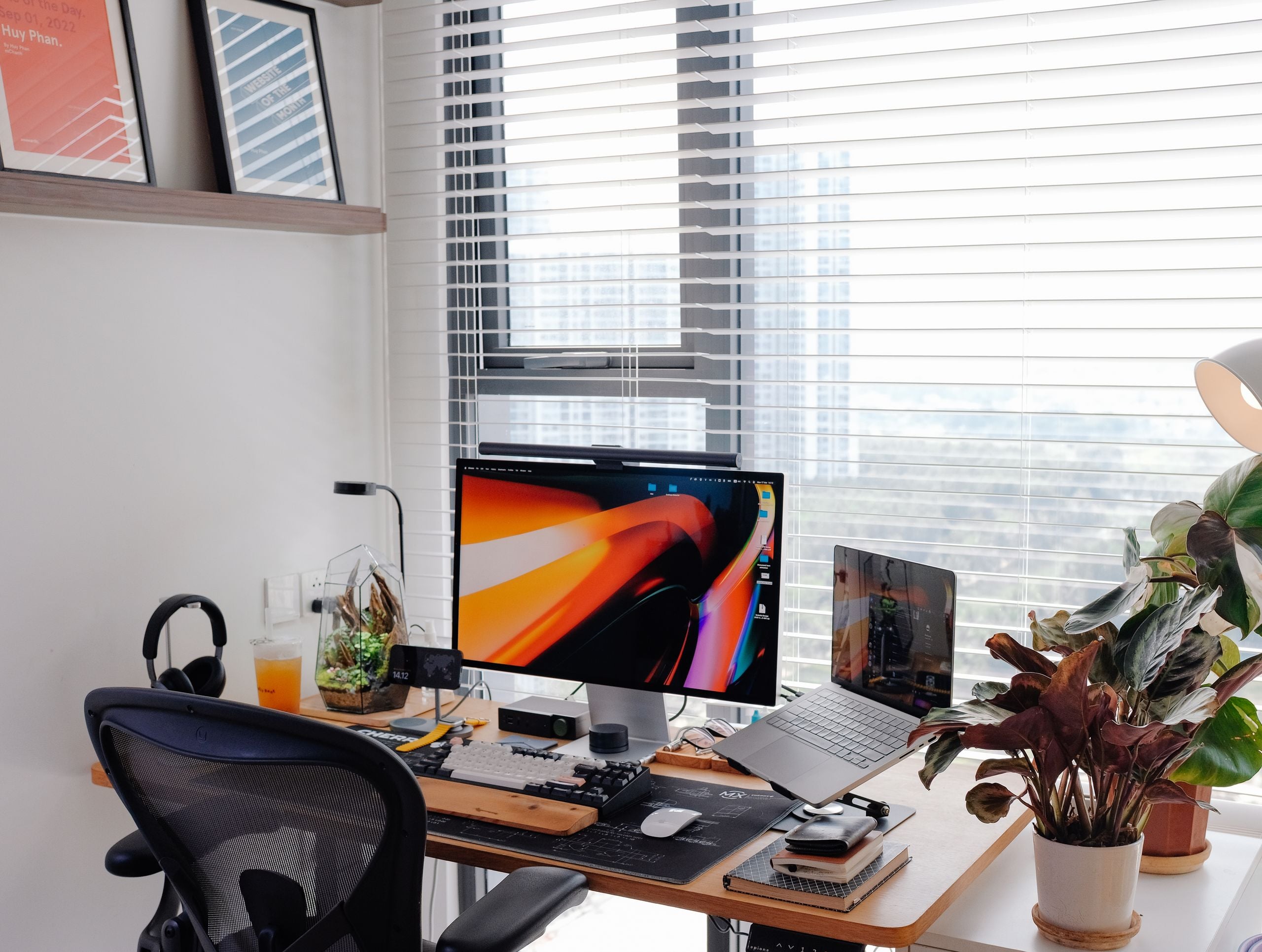
Building a Productive Home Office Setup Without Overspending
Having an efficient workplace at home need not cost you thousands of francs. At the very root lies a supportive chair, a table at an appropriate height, an additional screen, and proper lighting; all these can be bought for a few hundred francs if you are smart about buying and resist the temptation to buy gadgets you would not actually use. In fact, most elements that contribute to the workspace’s efficiency are related to comfort, not cost.
People tend to make the mistake of spending a lot first on things that will not bring them benefit. A mechanical keyboard and a standing desk are just things that you perceive as helping you become productive. Though, if your chair is bad for your spine and your screen is too low, those things would be of very little help. It is your body that touches the equipment, so invest at that level first, and only then build outwards. Just following that sequence would prevent most people from making costly errors that you often find on second-hand markets.
What You Actually Need Versus What You Think You Need
Make an honest short list of what your job really needs. Someone who is stuck in spreadsheets and video calls would need a good chair, a good webcam and enough screen space. Writers are happy with much less. A developer or designer, then again is going to need an awful lot of screen space. You will find no better way to save money than in choosing an office setup that is perfectly suited to the job because by doing this you will stop yourself from buying a workplace based on someone else’s version of the job that exists elsewhere.
Actually, if you exclude the internet, the non-negotiables are quite few. To be productive, you only need your back supported by the chair, so you dont hurt your lower back, a sufficiently large desk surface so that when you’re working, your head is in a neutral position i.e. straight facing forward, a screen at eye level, and a well-placed light that is not going to harm your eyes. These things basically are the foundation of productivity. Everything beyond that: mechanical keyboards, dual monitor stands, acoustic panels – all these things are just extra embellishments.
How to Get the Ergonomics Right on a Budget
Ergonomics First and foremost deals with shapes. Once your eyes are used to the screen, it’s free of charge to make the geometric correction. The top third of the screen is where you should be looking when you are looking forward, your elbows should be somewhat close to 90 degrees when you type and your feet are the floor. If you manage to hit these three marks, it will mostly be neck, shoulder, and wrist pain that you end up with after work.
There’s plenty to be done without making the slightest money out of pocket. Piles of books can be made up to raise a laptop up to eye level. A rolled-up towel gives support for the back, which a cheap chair does not. Getting a separate keyboard and mouse at such a low cost is the means by which you can position the screen above you and avoid the awkward arm position. It is only this small thing that can do away with the most complaints from people working with a bare laptop. The only place where spending money is worth it is the chair, in general, because you are going to spend 6-9 hours every day resting your behind on it and an affordable chair can’t handle too much.
Oftentimes, after only a single use, cheap chairs are not even worth repairing. You will often find that even the cheapest chairs wear out faster. Data from industry reports show that returning is the most common reason that cheap buyers regret going too low to the market. As you can’t improvise a good quality chair from a flat surface the best place to stretch your money is a chair only whereas you could do with a desk made of almost anything flat.
Building Out the Tech Without Wasting Money
The screen matters more than most peripherals. A second monitor, even a modest 24-inch model, has been linked in workplace studies to meaningful gains in task-switching efficiency, and used monitors in good condition sell for a fraction of new ones. Two average screens usually beat one expensive one for everyday office work, because the productivity comes from having more visible space, not from higher resolution you rarely notice on a spreadsheet.
Lighting is the underrated piece. A cheap desk lamp with adjustable warmth cuts eye fatigue on long days and improves how you look on video calls far more than an expensive webcam does. For assembling the smaller pieces, a keyboard, a monitor stand, a lamp, a webcam, a shop like pandaloo.ch carries the range of accessories that let you fill the gaps in one order rather than hunting across five different sellers and paying shipping on each. Buying the peripherals together also makes it easier to keep the total honest instead of letting small purchases quietly stack up.
Audio deserves a mention because it punches above its cost. A basic wired headset with a decent microphone makes you sound clearer on calls than a laptop’s built-in mic ever will, and it costs a fraction of what people spend chasing camera quality nobody on the other end cares about. Colleagues notice bad audio immediately and forgive mediocre video without thinking, so the money goes further on what people hear.
Small Spaces and Different Working Styles
Not everybody has an extra room, and the situation varies when the office is a corner of the living room or it’s a fold-up one. A compact desk with dimensions around 100 by 60 cm is suitable for most small spaces and still brings adequate room for a monitor and keyboard, while a wall-mounted or foldable one is hidden when the workday is over and is a big part in changing mentally that people underestimate.
Renters who tend to move quite often, and people who like to travel, can get the most benefit by investing in temporary or movable equipment. For example, a monitor that is placed on a stand that does not need to be mounted on a wall, a lamp that can clip on and off easily, or a roll-up chair that can be hidden in a storage space are all examples of the kind of thing that can be easily transported, packed up and brought along wherever one goes. This is quite a different approach from a person who has a private study which allows them to do things to their setup that are irreversible (like bolting things down), and in fact budget-friendly versions of things tend to end up being the most versatile with uses.
Changing of work style also alters the set of priorities. If you spend all day making calls, you will be better if you spend your money on good-quality audio, a well-lit environment, and a chair that is comfortable. On the contrary, a person who does deep focus work would benefit more from a clean environment, good-quality task lighting and noise cancellation rather than getting a better video camera. Before you make your spending, figure out the area that you fall into; this will result in you getting very different results if you have the same budget but spend it in different directions.