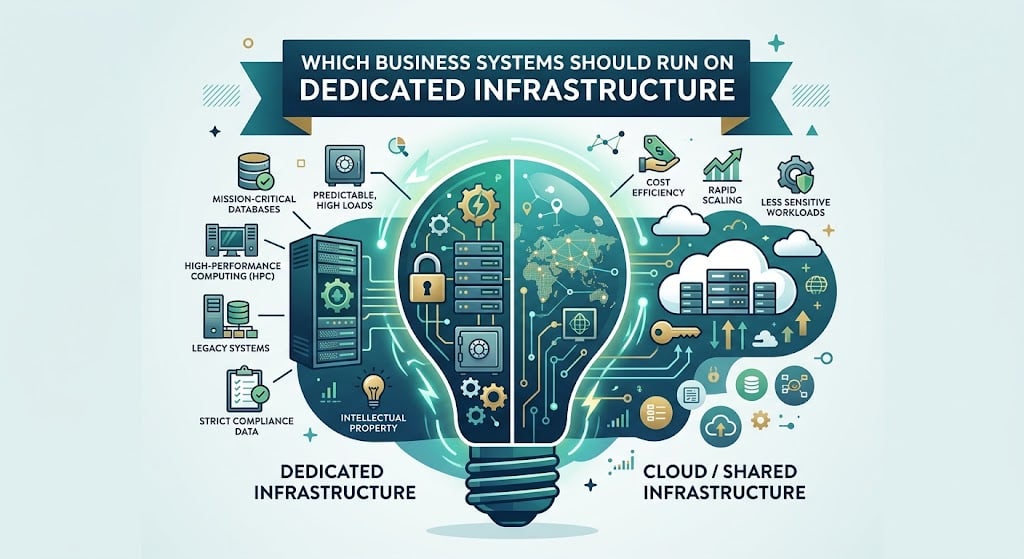
Which Business Systems Should Run on Dedicated Infrastructure
Which Business Systems Should Run on Dedicated Infrastructure
When you plan infrastructure, it is easy to focus on size first. You look at traffic, count users, estimate how much data the system handles, and then choose hosting around those numbers. But those figures can only tell you so much. What matters just as much is how much of the business depends on that system staying available.
A small marketing tool may be inconvenient to lose for an hour, but the business can continue. A payment service, customer portal, or internal order system is different. Even with relatively low traffic, a failure can interrupt sales, block employees, or stop important processes.
That is why infrastructure should reflect the cost of downtime, not just the size of the workload. If losing access to a system immediately affects revenue or daily operations, it needs a more isolated and dependable environment.
Which Customer-Facing Systems Justify Dedicated Resources?
Public-facing systems leave no margin for error. A sluggish checkout, booking page, or client portal can interrupt an action that was already close to completion.
Dedicated resources are especially useful for:
- ecommerce platforms
- booking systems
- SaaS dashboards
- customer portals
- subscription services
These systems often handle payments, account data, reservations, or orders. If they slow down, the customer usually does not care what caused it. They only see that the service is not working properly.
For these platforms, dedicated resources are less about extra power and more about keeping important customer actions stable when demand increases.
Which Internal Systems Are Too Important to Share Resources?
Internal systems usually get less attention because customers do not interact with them directly. For your team, however, they may be part of almost every working day. When one goes down, the disruption can spread well beyond a single task.
Some common cases make this clear:
- ERP systems keep purchasing, finance, and operational planning moving.
- CRM platforms give sales and support teams access to customer information and account history.
- Inventory and order management systems help staff confirm stock, process orders, and prepare shipments.
If one of these tools becomes unavailable, the delay quickly reaches other parts of the workflow. Orders wait, employees lose access to the information they need, and work that normally takes minutes can take much longer.
As these applications become more central to your business, dedicated hosting provides a more suitable setup by keeping their resources separate from less important workloads.
When Does Data Become the Main Reason to Use Dedicated Infrastructure?
Data can become an infrastructure issue long before the application around it changes. A business may keep years of transactions, customer records, inventory history, or reporting data, and all of it has to remain usable.
The pressure usually comes from work around the database:
- large backups that take longer to complete
- reports that scan years of stored information
- growing archives that cannot simply be removed
- recovery copies that need enough space to remain practical
At this point, storage is no longer just a place where the application keeps its files. It becomes something you have to plan in its own right.
Dedicated infrastructure gives you more room to organize storage, backups, and database work around the actual volume of information your business has accumulated.
Which Applications Need Full Control Over the Server Environment?
Some software is easy to move. Other applications come with years of technical decisions behind them, and those details are not always easy to recreate somewhere else.
You usually need more control when:
1. The application only works with a certain operating system or version.
Older business software is a common example. Updating the environment may sound simple, but the application itself may not support it.
2. Licensing depends on the server.
Some proprietary tools are tied to hardware IDs, CPU details, or other server-specific information. Moving them can require more than copying files and a database.
3. The setup includes custom services or packages.
A specific database version, security tool, background process, or server module may be part of the working setup.
4. Changing the environment means changing the application too.
If engineers have to rebuild working software just to fit a new hosting model, the migration can become much larger than expected.
Before greenlighting a migration, audit these hard dependencies. Operating system baselines, licensing logic, and local services usually dictate whether a standard cloud slice is even viable.
Which Workloads Need Resources Reserved for Their Own Use?
Some systems are quiet for most of the day and then suddenly have to process a large number of actions at once. That pattern is common with payments, APIs, booking engines, and order processing.
You can usually spot the problem in a few practical situations:
- payments start timing out during short busy periods
- an API works normally most of the day but misses response targets during traffic spikes
- reservations take longer to confirm when many users act at once
- order queues build quickly even though average traffic still looks reasonable
If the problem appears only during short bursts, the issue may not be total capacity. The system may simply be unable to access enough of it at the exact moment demand jumps.
For transactional workloads, those small delays matter. A payment may need to be retried, a partner API can miss its SLA, or a reservation may confirm too late.
That is where reserved resources become useful. You know the capacity is available for your own workload when it is needed, instead of depending on what else happens to be running at the same time.
Conclusion
The pattern across these systems is fairly consistent. The closer an application gets to revenue, staff productivity, stored data, or fixed technical requirements, the less room there is for infrastructure compromises.
That does not mean every workload needs its own server. It means the hosting model should stop being treated as a background decision once the system itself becomes part of how the business operates. At that stage, dedicated infrastructure is less about having more capacity and more about removing limits that are starting to interfere with the work.