
Amazon Kindle 3G Review
File Transfer and Reading
Contents
We read a book in Kindle format (AZW), a text in PDF format and subscribed to a newspaper in the Kindle Store. The transfer process and reading of the three was quite simple.
Transferring files to the Kindle is easy: through the wireless connection to download content directly from Amazon or through the computer via USB port. We can download content from the Kindle Store to the computer and then transfer it to the device, and we can also transfer personal documents. Book transfer takes less than a minute via 3G or Wi-Fi.
Reading the book and the newspaper was pleasant and not tiring to the eyes. The daily newspaper was delivery automatically via wi-fi as soon as each edition was available, and it only took a few seconds to complete.
The PDF text we picked up needed constant page scrolling during the reading, which was a bit unpleasant even after we changed the display to landscape. To solve this problem, Amazon gives us the option of converting personal documents in PDF to Kindle format for free, we just need to send the file to that Kindle unique email account.
The display is clear and there are customization options such as type and font size, spacing between lines, number of words per line and screen direction, and the command to activate and deactivate the Text to Speech feature (oral reading), all to suit the preferences of the reader, as seen in Figure 10.
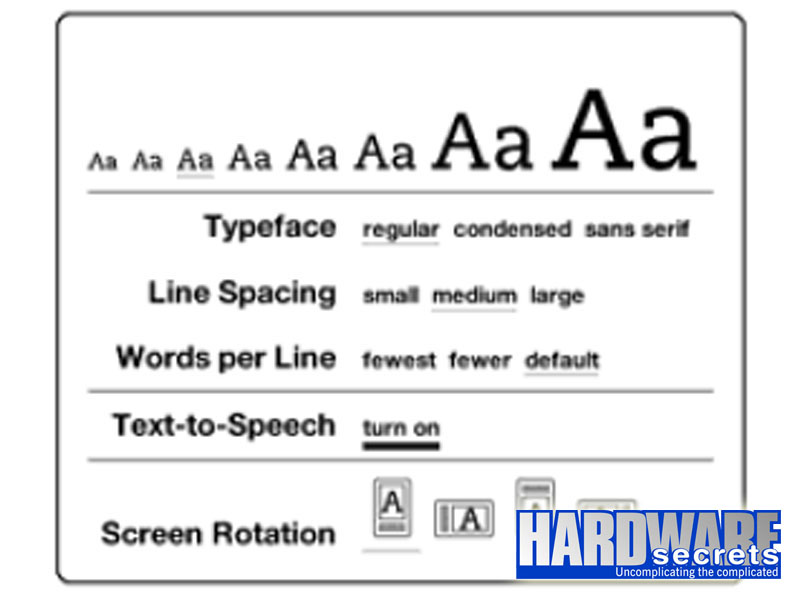 Figure 10: Display customization
The PDF reader allows annotations, highlights and the use of the English dictionary that is already installed from factory. We can adjust the zoom and contrast (5 levels each) and screen rotation settings (4 options), as shown in Figure 11.
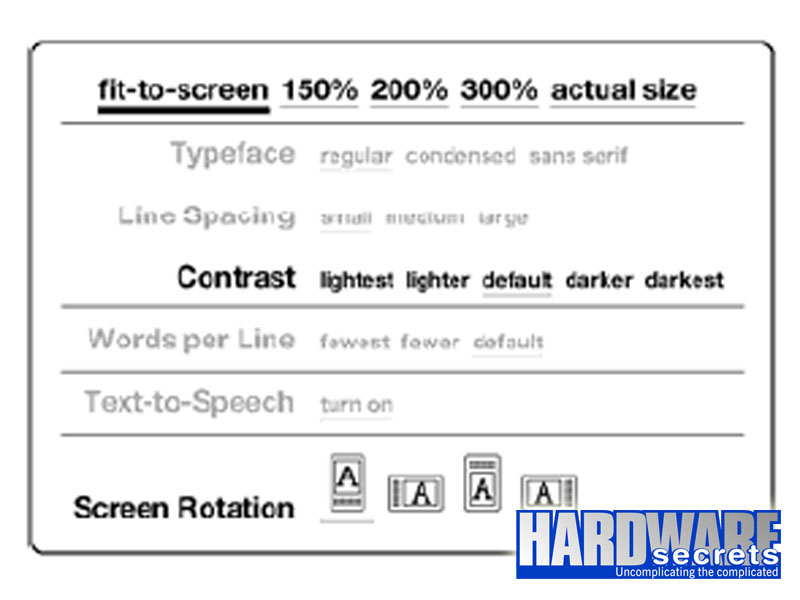 Figure 11: Display customization in PDF files
One detail seemed odd: the Kindle does not display page numbers. Instead, a percentage of what had been read and a “location number” was seen at the bottom of the screen.