
Amazon Kindle Review
The Technology
Contents
The technology behind the Kindle is impressive right from the start. The Kindle come with its own charging cable and plug, and USB cable as shown in Figure 3. Unlike most other devices, you can use the Kindle while it is charging, so you can plug it in and start using it without a wait. A full charge takes only about 2 hours. The battery life is excellent. With the wireless turned off, the Kindle can go for more than a week on one charge. Those of us who travel internationally will also appreciate the fact that the Kindle has a universal power adapter that, with the appropriate plug adapter, will work worldwide.
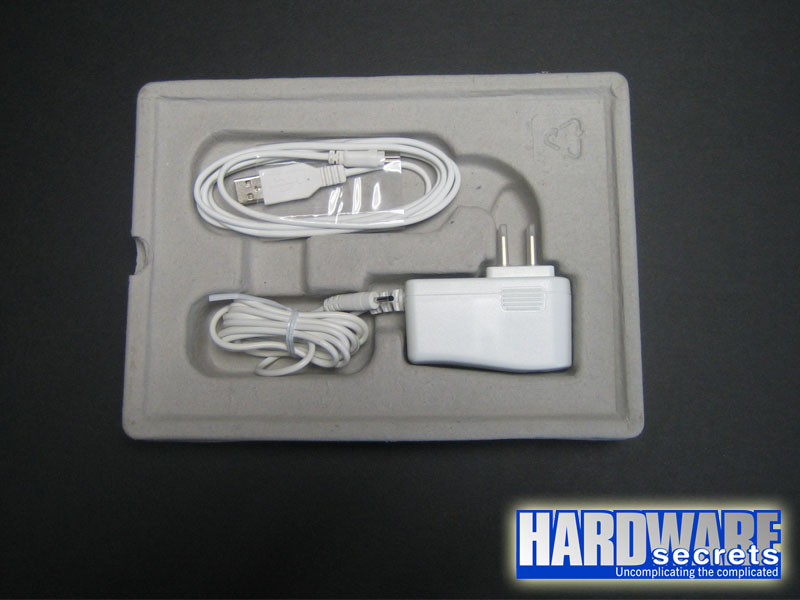 Figure 3: The included cables
It is obvious that much work went into the screen display. As you can see from Figure 4, the 6” (diagonal) is very legible. The E Ink display has a 600 x 800 resolution. It produces a 4-level grayscale display that uses special dithering technology to make images display as nicely as the text. The screen has no backlight so reading is easy on the eyes and it is quite clear even in bright sunlight.
 Figure 4: The Kindle displays text and graphics in grayscale
Those with aging eyes or visual difficulties will be happy to know that it is easy to resize the text to any of 6 choices from small to large. While you can change the size of the text while reading content, unfortunately you cannot change the size of the type while browsing the Kindle store or online content.
The Kindle has 256 MB of internal storage and can hold about 200 books. An SD memory card expansion slot is also available. As shown in Figure 5, you must remove the back cover to access it. Removing the back cover also gives you access to the battery. The battery is user-replaceable, another nice feature.
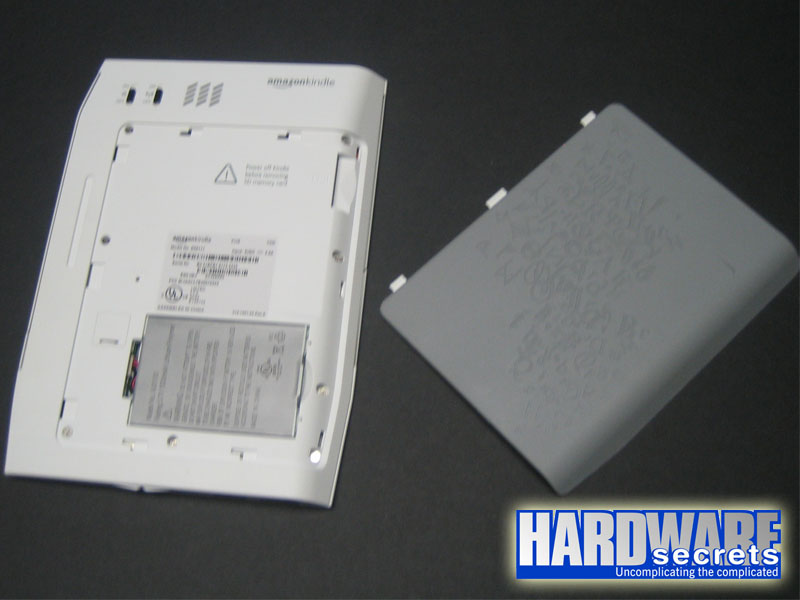 Figure 5: The memory card slot is exposed when the back cover is removed.
Although you do not need a computer to use the Kindle, you can hook it up to a computer with the included USB cable. When attached, it acts pretty much like a USB flash drive. You can add your own music and listen through the built-in speakers or you can listen to audio books. With the proper instructions, you can also add pictures to your Kindle. Unfortunately, these instructions are not in the Kindle User Guide, they must be found on the Internet or in a book How to Use the Amazon Kindle for Email & Other Cool Tricks, that can be purchased from the Kindle store.