Free microSD Card Data Recovery: Recover Lost Files with Recoverit V15
Losing important files from a microSD card can be frustrating, especially when they include valuable photos, videos, or essential documents. Data loss can occur unexpectedly due to accidental deletion, formatting errors, file system corruption, or other issues, leaving users searching for a quick and reliable way to restore their files.
Fortunately, microSD card data recovery can help you retrieve lost files in many situations. With Recoverit V15, you can scan your microSD card for recoverable data and attempt to restore deleted or lost files through a straightforward recovery process. In this guide, we’ll walk you through how to use Recoverit V15 to recover your important data with ease.
Part 1. What is Recoverit? Why It Is the Top Free microSD Recovery Software?
Part 2. Compatibility and System Requirements
Part 3. Key Features of Recoverit Data Recovery
Part 4. Step-by-Step Guide to Using the Software
Part 5. Pros and Cons of Free microSD Recovery Software (Recoverit)
Part 6. Verdict: Is Recoverit the Best microSD Rescue Tool?
Conclusion
Part 1. What is Recoverit? Why It Is the Top Free microSD Recovery Software?
Recoverit V14 is a powerful data recovery program that finds your lost files. This smart tool can find more than 1,000 files formats on many different devices. Its latest version works well on Windows computers and also on every Mac. The software can easily recover deleted files from microSD card storage. Also, you can use it to recover document files from 2,000+ various storage devices.
People like this tool because it makes SD card recovery simple through smart AI algorithms. It allows users to preview and recover up to 500 MB of data for free. This tool never modifies your existing original data during the recovery process. Besides, Recoverit helps to fix bootable media for crashed PCs, NAS, and Linux recovery. It performs a quick scan to find lost files, achieving a higher success rate.
Part 2. Compatibility and System Requirements
Before starting microSD card file recovery, you must check system compatibility and device requirements. Review the table below to understand supported systems, hardware needs, and storage device compatibility:
| Feature | Requirement Details |
| Supported OS (Windows) | Windows 11, 10, 8, 7, and even older versions of Windows XP/Vista |
| Supported OS (macOS) | macOS 10.10 to macOS 14 Sonoma (or later supported versions). |
| Minimum RAM | At least 2 GB (more recommended for large cards or deep scans) |
| Disk Space Required | Around 56 MB of free space for installation |
| Supported Devices | Works with SD, SDHC, SDXC, and all microSD cards. |
| Supported File Systems | Supports FAT32, exFAT, and cards that show as RAW. |
| Key Requirement | Working card reader or device connection for microSD recognition |
Part 3. Key Features of Recoverit Data Recovery
You can still recover files from microSD card if your card is damaged or physically broken. Below are the key features of Recoverit software that help recover lost files:
- Deep Scanning: This tool searches every hidden corner of your card to find old data. It confirms that even hard-to-find files are included for safe and quick recovery.
- RAW Recovery: Recovers data from memory cards appearing as RAW or unreadable. However, it works even if the file system is damaged or corrupted unexpectedly.
- Fragment Handling: Automatically gathers scattered file fragments for complete and accurate restoration. Ensures large or broken files are rebuilt without missing parts or errors.
- Bin Recovery: Restores files moved to the Trash or Recycle Bin from the microSD. Helps recover accidentally deleted data quickly and easily with preview options.
- Selective Restore: Allows restoring only chosen files instead of all scan results unnecessarily. Saves time and prevents clutter by recovering exactly what users require.
Part 4. Step-by-Step Guide to Using the Software
After exploring the powerful features of Recoverit, follow the guide below to recover deleted files from microSD card:
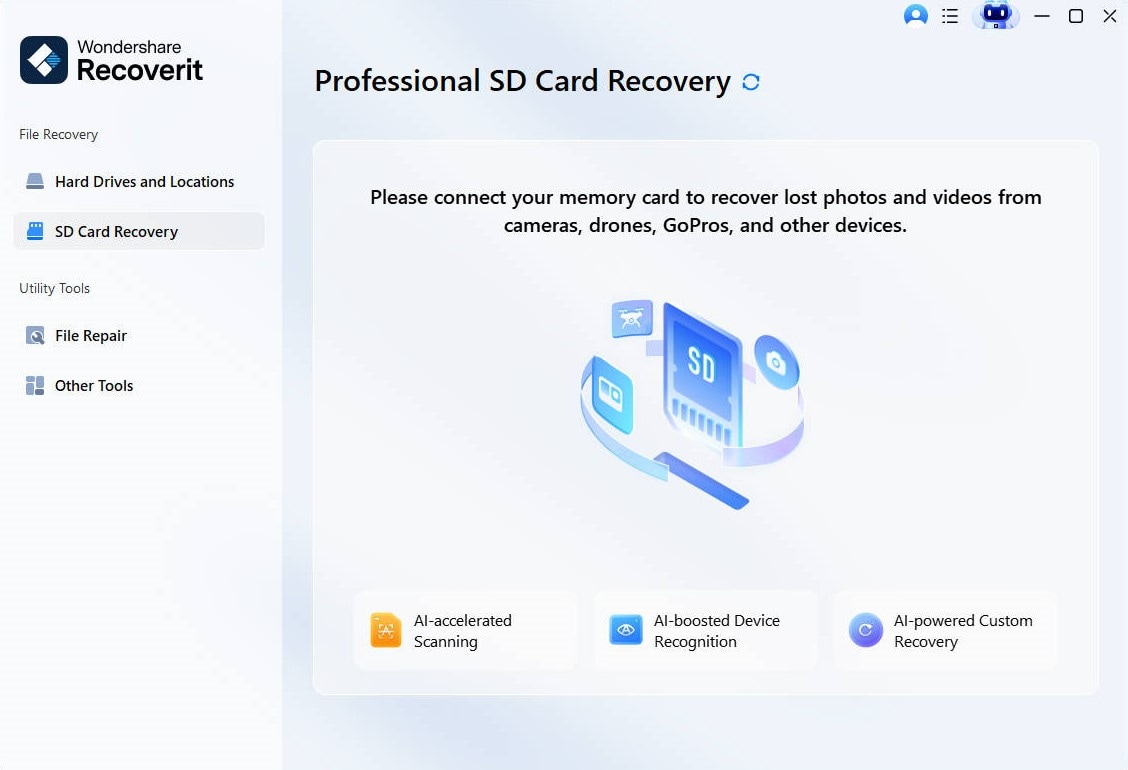
Step 1. Access the Software to Recover Lost Files
Select the “SD Card Recovery” feature from the tool and connect your microSD card to the PC.
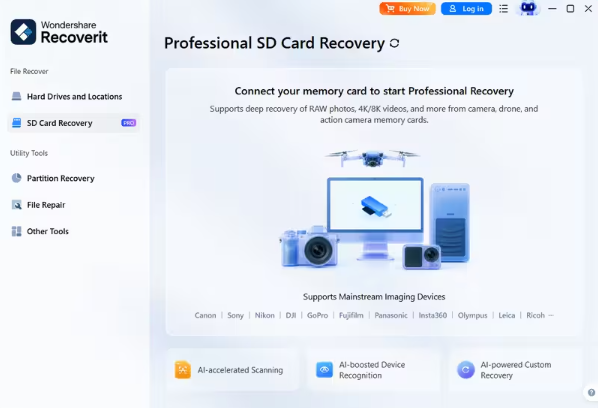
Image name: microsd-card-data-recovery-1.jpg
Image alt: access sd card recovery feature recoverit
Image Link: https://images.wondershare.com/recoverit/data-recovery/sd-without-sd-card-win.jpg
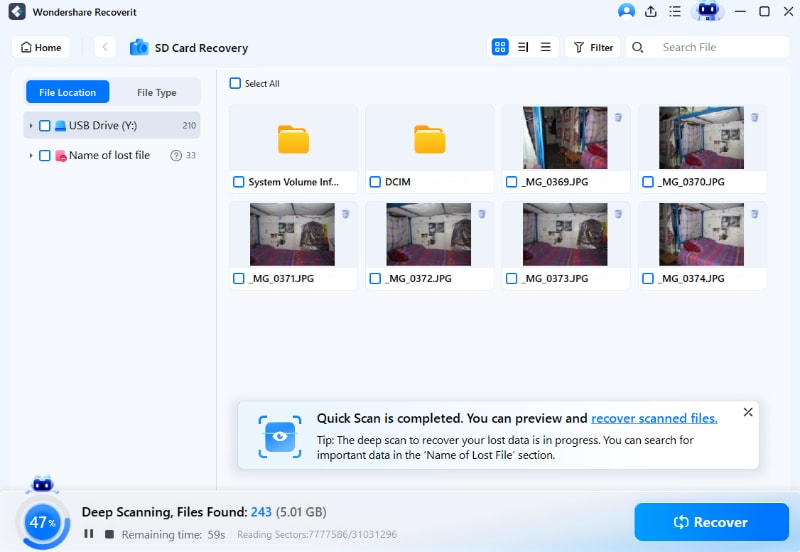
Step 2. Quick Scan the Chosen microSD Card
At this stage, the tool will automatically perform a quick scan to find lost files.
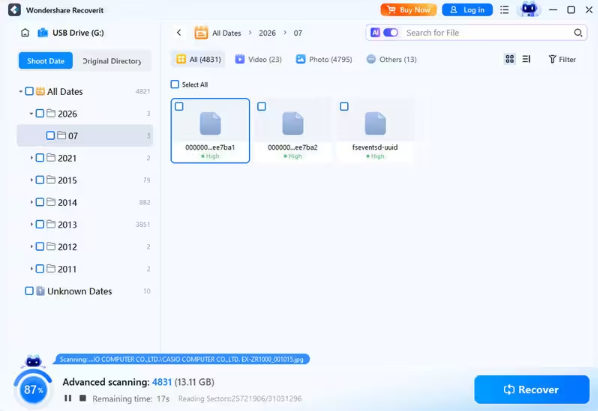
Image name: microsd-card-data-recovery-2.jpg
Image alt: quick scan the microSD card
Image Link: https://images.wondershare.com/recoverit/data-recovery/sd-scanning-win.jpg
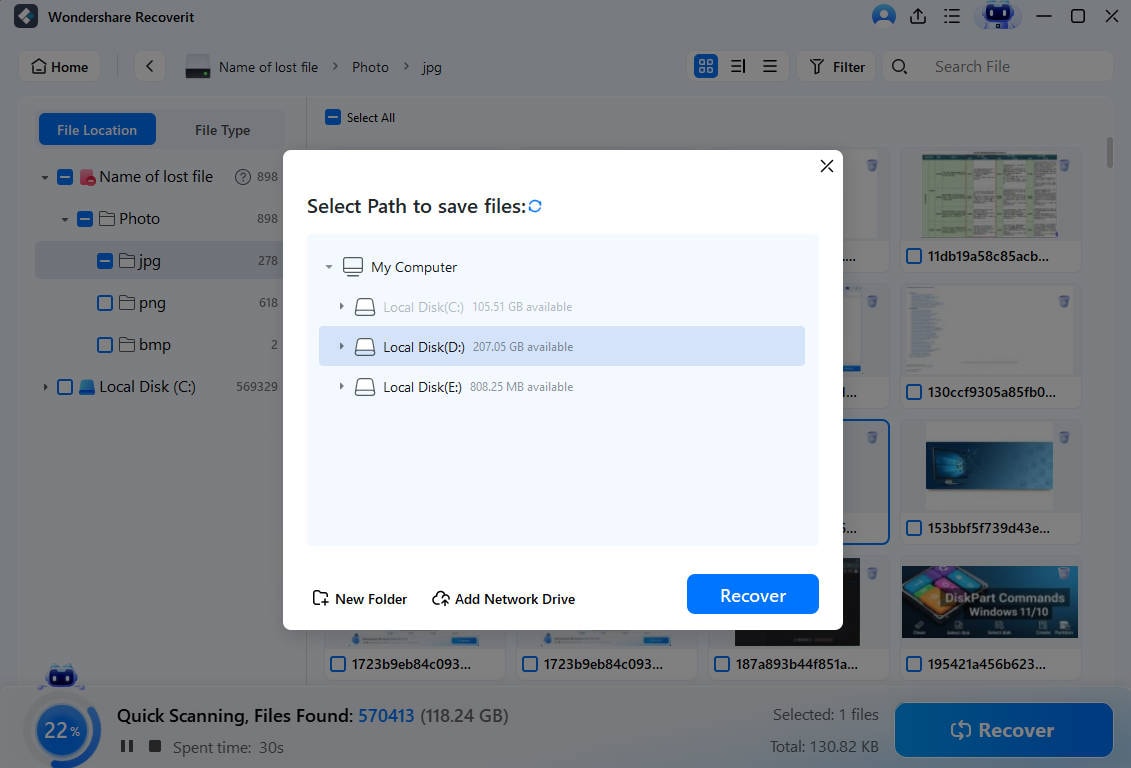
Step 3. Preview and Get Back Missing Files
When the tool locates your lost files, opt for the “Recover” button to get back all deleted files.
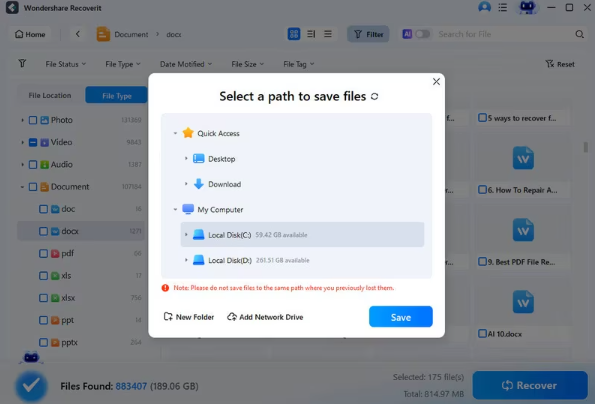
Image name: microsd-card-data-recovery-3.jpg
Image alt: recover lost microSD card data
Image Link: https://images.wondershare.com/recoverit/data-recovery/computer-select-path-save.jpg
Part 5. Pros and Cons of Free microSD Recovery Software (Recoverit)
Using the Recoverit Data Recovery tool offers many benefits, but some limitations should be considered carefully. Let’s explore the main pros and cons of this software before choosing it:
Pros
- Its free edition allows users to recover up to 500 MB of data.
- Dedicated SD/microSD recovery mode separates removable cards for easier scanning.
- Signature Scan recovers files even when the file system is damaged.
Cons
- Occasional issues on some drives were noted during recovery in independent tests.
- Thorough recovery scans on larger drives and microSD cards can take a long time.
Part 6. Verdict: Is Recoverit the Best microSD Rescue Tool?
Yes, Recoverit is a worthy tool for small and simple microSD recovery tasks. The software supports common formats like photos, videos, documents, and audio files. Its interface is polished, making SD card and microSD scanning quite simple.
Recoverit provides safe, read-only scanning, preventing overwriting or further file corruption. It also supports physically broken microSD card recovery in limited and detectable cases. Overall, Recoverit free is suitable for small recovery tasks and quick results.
Conclusion
In summary, keeping your important files safe is easier with the right tools. This helpful guide shows that microSD card data recovery does not have to be a scary task. Therefore, if you ever lose your files, you need a fast solution. In such situations, you should try Recoverit to bring back your missing data safely.