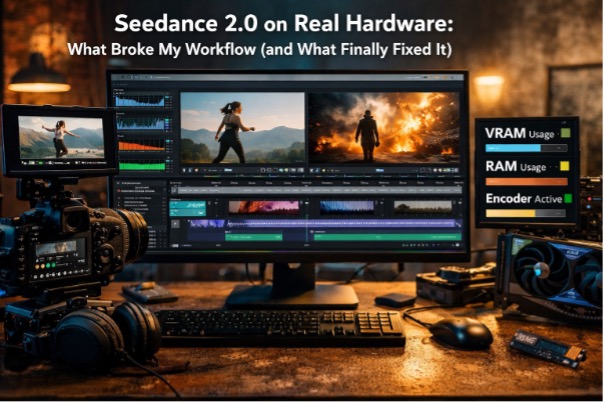
Seedance 2.0 on Real Hardware: What Broke My Workflow (and What Finally Fixed It)
I didn’t start testing Seedance 2.0 because I wanted another “wow” demo. I started because I was tired of losing hours to the same problem: a clip looks promising, I try to iterate, and my PC turns into the bottleneck. Not the model. Not the prompt. My local workflow—decode, preview, cache, export—becomes the thing that decides whether I can ship anything that day.
Seedance 2.0 is the kind of model that exposes weak links fast. It rewards clean direction—shot language, pacing, performance intent—while punishing sloppy references and unstable playback. If you’re the type of HardwareSecrets reader who cares about repeatability, you’ll recognize the pattern: when a workflow feels “random,” the randomness usually lives in the system, not the software.
For context, here’s the specific model page I’m referencing: Seedance 2.0. I’ll keep the rest practical: what I measured, what I changed, and how I now set up my machine so iteration stays predictable.
Why Seedance 2.0 feels different in day-to-day editing
On paper, lots of video models promise “cinematic.” In practice, Seedance 2.0 pushed me toward editor thinking: does the motion read cleanly, does the timing feel intentional, can I cut it without fighting micro-jitter and accidental camera wobble?
That emphasis changes how you test. Instead of generating one clip and judging the result, I started generating several variations and judging my ability to work with the output:
- Can I scrub the reference smoothly while writing notes?
- Can I compare takes without my timeline turning into a slideshow?
- Can I export quick review files without everything stalling?
Those aren’t glamorous questions, but they determine whether a model becomes a tool or a toy.
The hidden hardware tax: your local pipeline still does a lot of work
Even if generation happens in the cloud, your machine still handles the parts that chew time:
- decoding and previewing your source clips
- caching previews and intermediate renders
- exporting review versions (often multiple times per session)
- multitasking (browser research + editor + asset manager + chat tools)
This is where I made a mistake early on: I watched “GPU usage” and assumed I was fine. The real limiter was VRAM spikes and storage thrash. Once I started watching the right metrics, the workflow stopped feeling mysterious.
The three metrics I watch every session (and why)
I don’t over-instrument this. I watch three numbers while I iterate:
- GPU VRAM utilization (not just overall GPU %)
- System RAM usage
- Video engine / encoder load (NVENC/AMF/Quick Sync activity)
When one of these hits a wall, you get the classic “it’s not slow, it’s inconsistent” problem.
What the symptoms usually mean
| Symptom in the workflow | What I usually find | The fix that actually helps |
| Preview starts smooth, then degrades | VRAM near limit; swapping/eviction | More VRAM, lower preview res, fewer heavy apps open |
| Whole system gets “sticky” | RAM near limit; OS paging | 32 GB+ RAM, close memory hogs, reduce background apps |
| Random stalls on import/export/cache | SSD near full or slow scratch | Fast NVMe scratch, keep 15–20% free space, relocate cache |
| Exports take forever “for no reason” | Encoder not being used; CPU-bound path | Enable hardware encode, confirm codec path, update settings |
That table is the difference between guessing and fixing. Once I mapped symptoms to causes, my Seedance tests became repeatable.
How I test Seedance 2.0 like a production asset
When I’m evaluating a model, I don’t generate one clip. I run a small “editor’s battery” that imitates a real job:
- Two reference clips: one clean tripod shot, one handheld or moving shot
- Three prompt variants: same scene, different pacing/camera language
- Two export passes: a quick review encode and a higher-quality version
I track two outcomes: quality and throughput. Quality without throughput doesn’t ship.
What I found with Seedance 2.0 is that the model’s strengths show up when you can iterate fast. If preview and exports are unstable, you lose the very advantage the model offers—fine pacing adjustments and editorial control.
Practical hardware guidance for Seedance-style workflows
I’m not going to tell you “buy the top GPU.” Most people don’t need that. What they need is headroom in the places that cause instability.
My order of priorities (for this specific workflow)
- VRAM headroom: stability first
- RAM headroom: avoid paging during multitasking
- NVMe scratch: keep caches and preview files fast
- CPU balance: strong enough to keep decode/encode responsive
Here’s the “good enough” breakdown I’ve settled on:
| Workflow level | What you’re doing | Specs that feel comfortable |
| Casual testing | short clips, light edits | 8 GB VRAM, 16 GB RAM, NVMe SSD |
| Serious iteration | multiple takes, frequent exports | 12 GB VRAM, 32 GB RAM, dedicated NVMe scratch |
| Production-minded | long sessions, parallel projects | 16–24 GB VRAM, 64 GB RAM, fast NVMe + clean cache strategy |
The biggest stability jump for me was moving from “barely enough” to “headroom.” When memory isn’t tight, everything becomes calmer.
The no-cost fixes that improved my results more than expected
Before upgrading anything, I fixed the basics—and it paid off immediately:
- Hardware decode/encode enabled in the editor (it gets toggled off more often than you’d think)
- Cache moved to NVMe and cleared regularly (treat cache as disposable)
- System drive kept roomy (below ~80–85% full, performance stays steadier)
- Drivers chosen for stability (I stopped chasing every new release)
These aren’t sexy upgrades, but they cut the “why is today worse than yesterday?” problem dramatically.
Where a video extender fits in my Seedance workflow
Seedance 2.0 made me more picky about motion continuity. Sometimes the best take is great… except it ends a beat too early, or the camera move wants two more seconds to breathe.
That’s where GoEnhance AI video extender fits into my pipeline. I use it as an editorial tool: extend a moment to land an emotional pause, give a push-in time to resolve, or smooth the transition into the next cut.
The key is discipline: I don’t extend everything. I extend the shots that are already 80% there, because that’s where the extender feels like time saved rather than “more generation for the sake of it.”
Closing notes: I don’t chase peak specs anymore—I chase predictable iteration
Seedance 2.0 is at its best when you can iterate like an editor: compare takes, adjust pacing, refine camera language, and export review versions without friction. When your PC is unstable—VRAM tight, RAM tight, SSD thrashing—the model doesn’t look worse; your workflow does.
Once I built for headroom and consistency, Seedance stopped being a “demo model” and became something I could actually use in a real pipeline. That’s the difference HardwareSecrets readers tend to appreciate: not marketing claims, but a setup that behaves the same way every day—and lets you finish work.