
3R System L700 Eclipse Case Review
The Disk Drive Bays
Contents
The 3R System L700 Eclipse has three 5.25” external bays, seven 3.5”/2.5” internal bays (four in the “E” version of the case), and one 3.5”/2.5” external docking bay. The case comes with one adapter to convert one of the external 5.25” bays into an external 3.5” bay. Only the top two external 5.25” bays come with mechanisms for installing drives without the use of tools or screws.
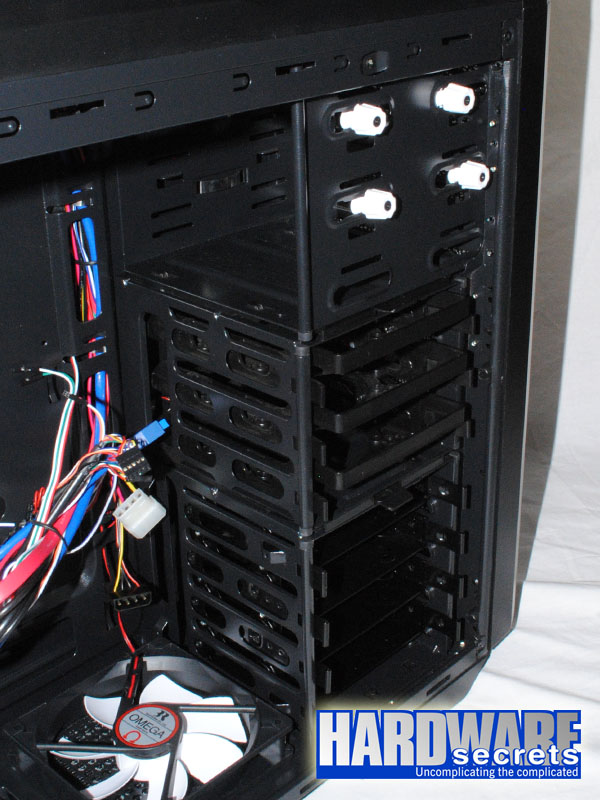 Figure 16: Disk drive bays
As mentioned previously, the reviewed case supports video cards up to 11” (280 mm) long on its default configuration or up to 16.1” (410 mm) if the top hard drive cage is removed.
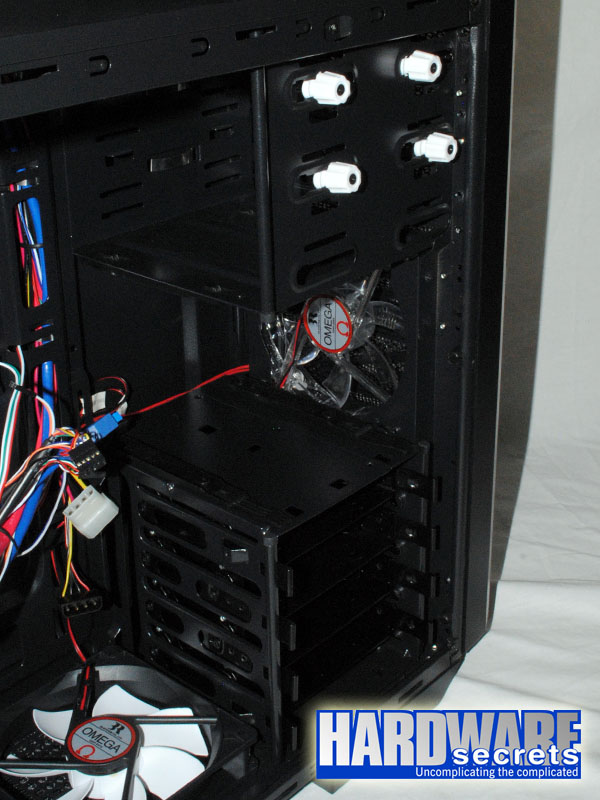 Figure 17: Case with its top cage removed
The top hard drive cage has three 3.5”/2.5” bays, while the bottom one has four 3.5”/2.5” bays. The “E” version of the case doesn’t come with the top hard drive cage. The “H” version of the case, which was the one we are reviewing, comes with suspension mechanisms for reducing noise in the bays available on the bottom hard drive cage, but you must use regular screws to install 3.5” and 2.5” drives. In Figure 18, you can compare one regular 3.5”/2.5” bay to one “Noise Killer” bay. The regular 3.5”/2.5” bays allow you to install 3.5” hard drives without the use of screws or tools.
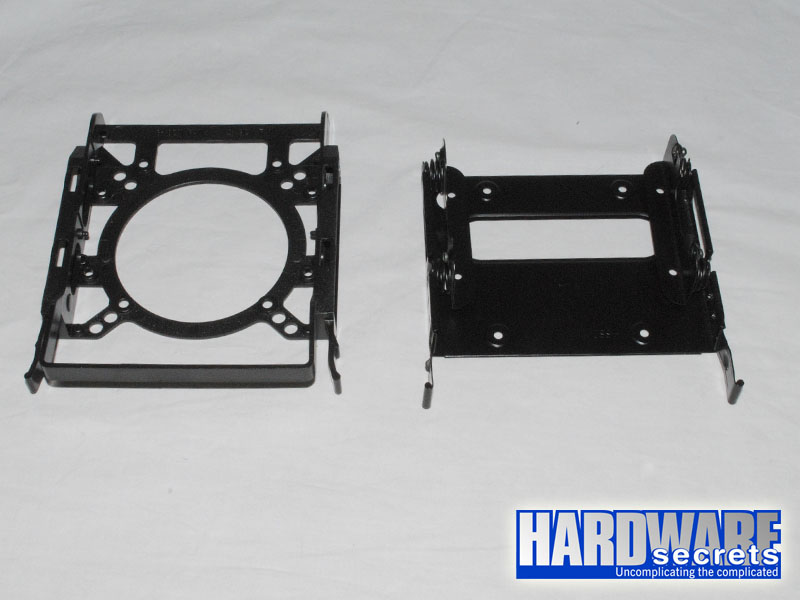 Figure 18: Regular 3.5”/2.5” bay (left) and “Noise Killer” bay (right)