3R System R120-V3 Case Review
The Disk Drive Bays
Contents
3R System R120-V3 comes with four 5.25” bays. The top two c
ome with screwless retention mechanisms, but it is important to notice that differently from solutions found on other cases these mechanisms are available on both sides of the bays (see Figure 11).
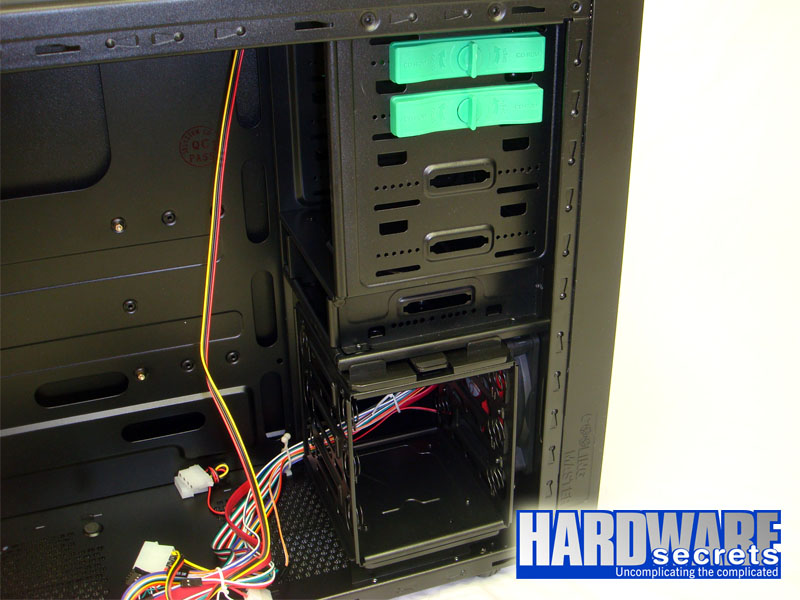 Figure 14: Bays.
The reviewed case has a removable hard drive cage that fits up to three drives, plus a 3.5” bay between the hard drive cage and the 5.25” bays. Hard drives are installed perpendicular to the case inside the cage, which is always nice. But what is really unique about this cage is the use of springs to make the drives to be literally suspended inside the cage, absorbing the noise produced by them.
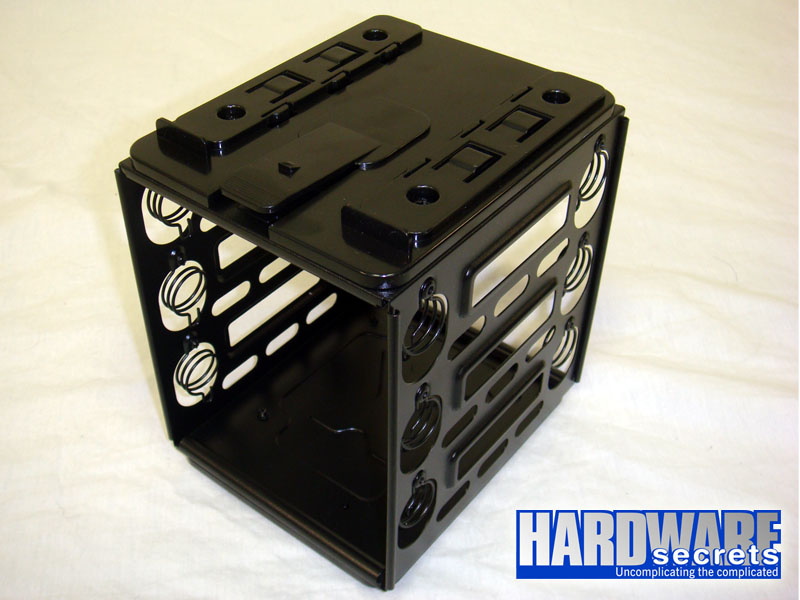 Figure 15: Hard disk drive cage removed from the case.
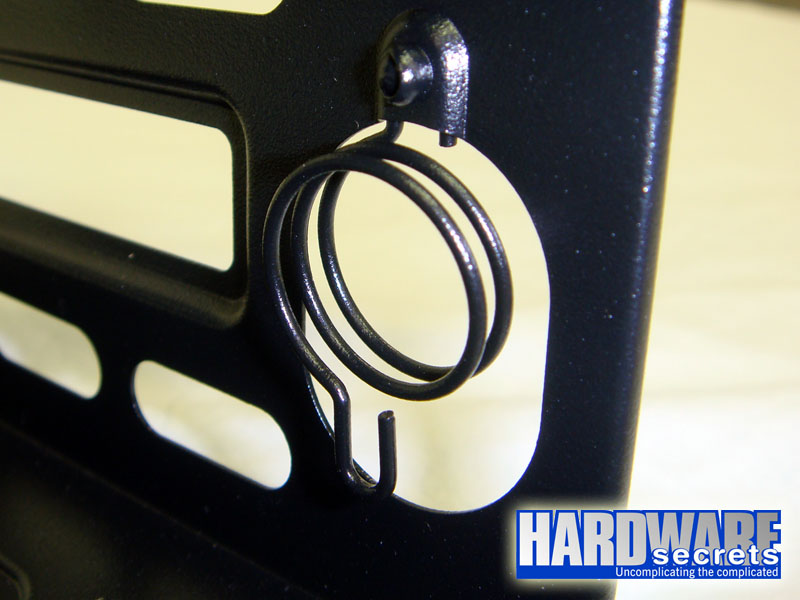 Figure 16: Suspension mechanism.
This system, however, isn’t screwless: you need to attach regular screws to each coil.
In Figure 17, you can see the front 120 mm fan that cools down the hard disk drives. As mentioned before, it rotates at 1,100 rpm and uses a regular peripheral power connector, so it must be installed directly on the power supply.
 Figure 17: Front fan.
This case comes with a 6 19/64” (160 mm) EPS12V extension for you to extend the EPS12V cable from your power supply, a really interesting feature if you have a power supply with a short EPS12V/ATX12V cable, since on this case the power supply is installed on the bottom of the case. This extension can be also used as an adapter to convert an EPS12V connector into an ATX12V connector, since it uses two ATX12V connectors that together form one EPS12V connector at its end.