
Aerocool Strike X Fan Controller Review
Operation
Contents
The operation of the Aerocool Strike X is easy, but most of the colorful lines on the screen are there only for decorative purposes. The useful information is the five temperature readings and the five fan speeds.
You can touch the “C/F” icon to choose the temperature unit (Celsius or Fahrenheit degrees). The lock icon at the upper right allows you to lock and unlock the touchscreen; the product automatically locks the screen after 30 seconds of use, and you must always unlock it before adjusting anything.
The Strike X has temperature alarms for each channel. To adjust the alarm temperature of a channel, touch the temperature digits, and use the “+” and “-” icons to set it. If the sensor temperature becomes higher than the value set, an audible alarm sounds.
There is also an alarm for a disconnected or a stopped fan.
To adjust the fan speed of a channel, touch the rpm digits of the channel you want to adjust, using the “+” and “-” icons, then touch the digits again to store the new speed. The actual speed of the fan does not change immediately, however; it takes several seconds to apply the new speed to the fan, which makes the task of finding the best noise/cooling ratio a little annoying.
There is no way to completely turn off one fan; the least possible rpm is half the maximum rpm.
You can turn off the panel lights by pressing the Aerocool logo at the bottom of the screen for a few seconds.
There is no way to automatically control a fan speed according to a sensor temperature.
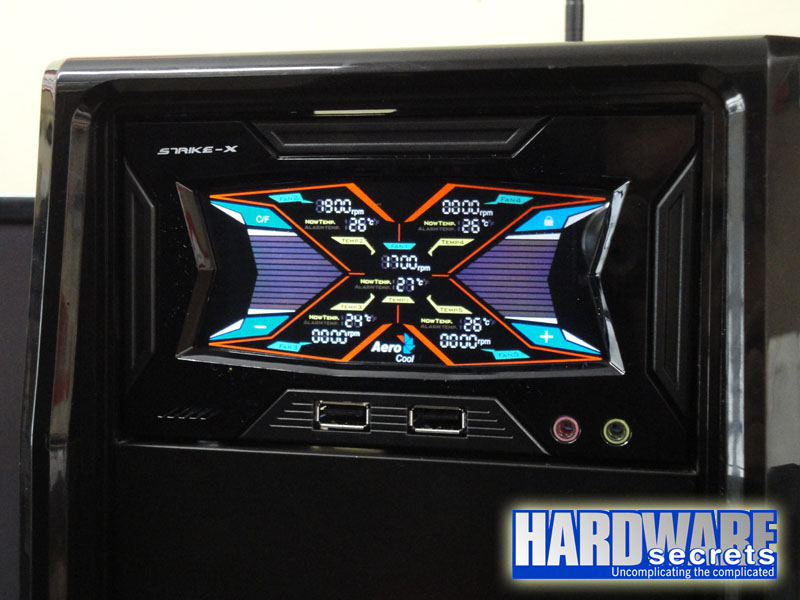 Figure 9: The Strike X working