
Anatomy of Computer Fans
The Sleeve Bearing
Contents
Computer fans are more sophisticated, as they use brushless motors. As the name implies, this kind of motor doesn’t use brushes. The design of this kind of motor is a little bit different.As we saw in the previous page, motors with brushes have stationary magnets and the copper-wire windings are wrapped around the rotating part. Brushless motors are constructed the opposite way: the electromagnet (copper-wire coil) is stationary and the magnets rotate.
In the case of computer fans, the magnet is attached to the blade assembly, and this piece has the shaft attached to it (this whole piece is called the rotor). The rotor moves when mounted in the fan frame, also called the stator. The electromagnets are installed in the stator, and they don’t move. In the middle of the piece where the coils are attached to them is a hole where the shaft attached to the blade assembly is installed. This hole is the famous bearing that we will discuss in detail later.
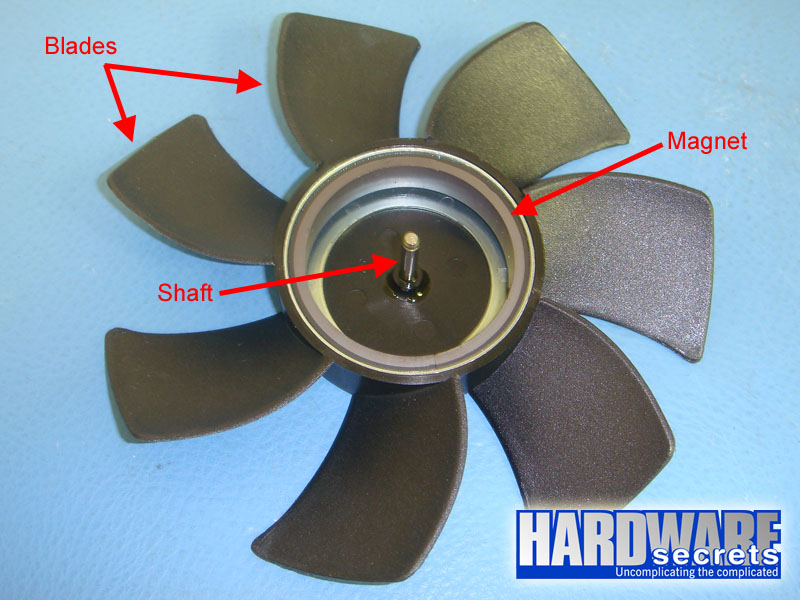
Figure 3: Blade assembly (rotor)
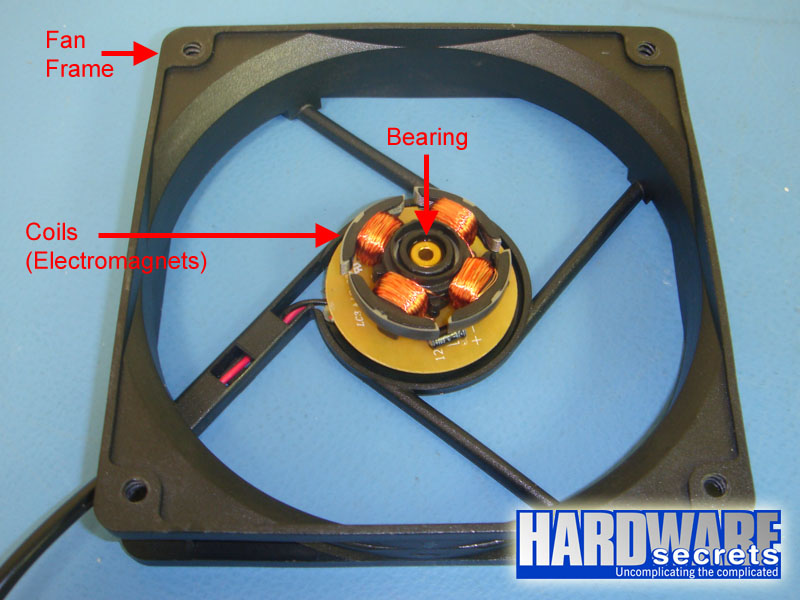
Figure 4: Fan frame (stator)
Brushless motors can be constructed with several coils and computer fans usually have eight of them. Inside a computer fan you can easily spot four T-shaped metallic “arms” or “teeth,” with each piece having two coils attached, usually one using red copper wire and the other using standard copper wire (see Figure 5).
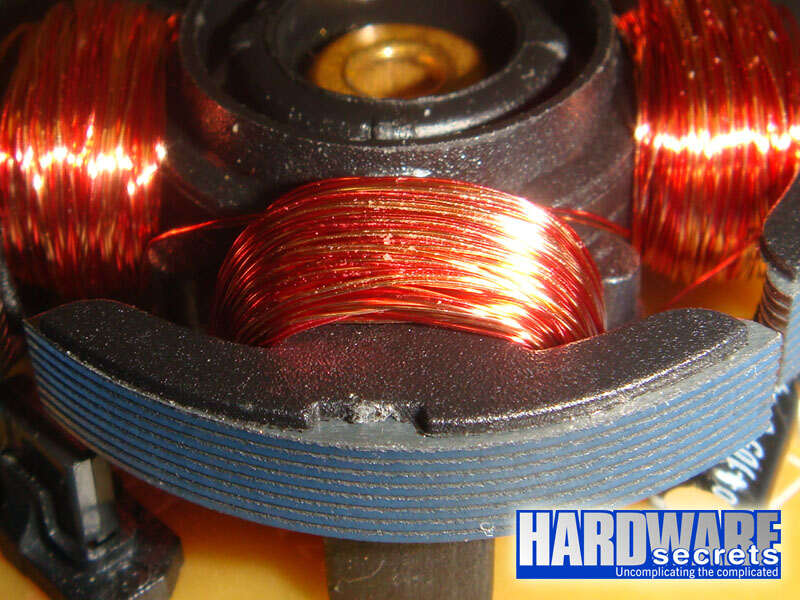
Figure 5: Each T-shaped piece has two coils
These coils are connected as shown in Figure 6. In our example, V0 is the common wire for both sets of coils, V1 is the wire for energizing the red-wire coils and V2 is the wire for energizing the bare-wire coils.
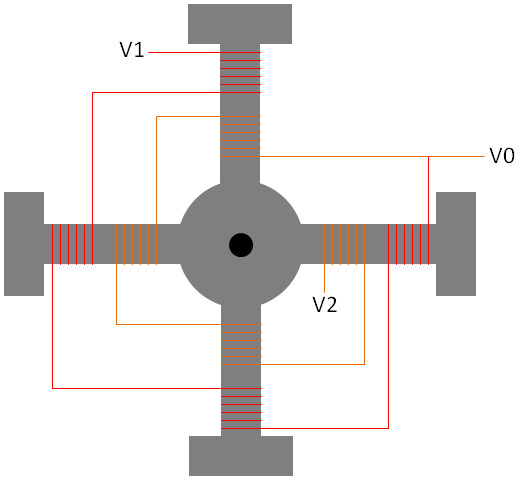
Figure 6: How the coils are connected
An integrated circuit present on the fan printed circuit board controls the coils. It will energize the coils in a way that will keep the motor spinning. In other words, this integrated circuit will change the magnetic field generated by the coils in such a way that the they will repel the magnet present in the rotor, causing it to spin and keeping it spinning.
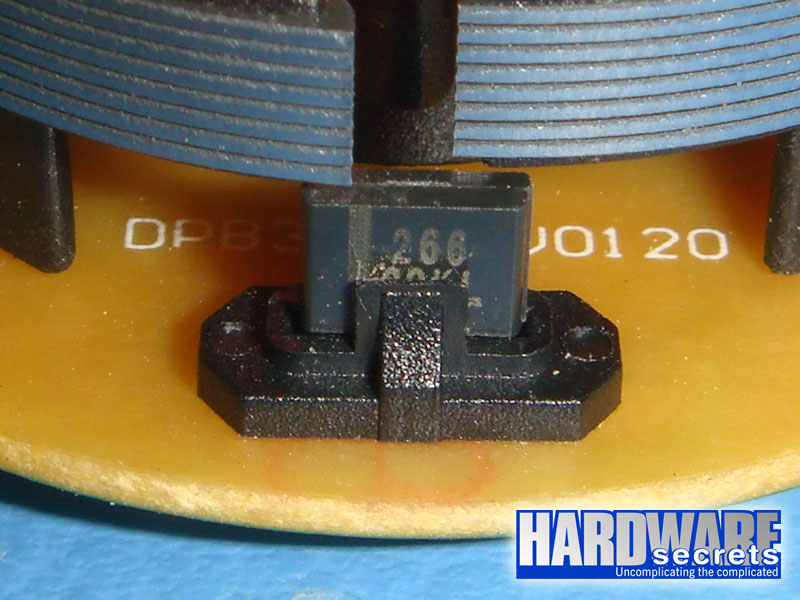
Figure 7: Integrated circuit
Basic brushless fans will have only two wires. Optionally, brushless fans can have a monitoring circuit to feed the computer motherboard with a waveform that represents the speed of the rotor. This way you can monitor the speed of the fan through the motherboard setup or a fan monitoring program. This circuit is available through a third wire, so fans with three wires coming out of them have this sensor. The addition of this circuit makes the fan a little bit more expensive, of course.
Fancier fans can have a fourth wire that is connected to the integrated circuit of the fan to control the speed of the fan, through a technique called pulse width modulation
(PWM). If this wire is present, the speed of the fan will be controlled by the computer motherboard, and you can set your computer to change the speed of the fan depending on the temperature read by a given thermal sensor located inside the computer. This kind of fan is more expensive than fans that have only a monitoring wire, of course.
It is important to understand that you can control the speed of the fan by reducing the voltage, accomplished by installing a potentiometer or a fan speed controller. Note that in this case you, the user, is the one that is controlling the speed of the fan, rather than what happens with PWM fans, where it is the computer that controls the speed of the fan.
Of course this is an oversimplification of how brushless fans work. There are a lot more details about brushless motors, but we decided to focus exclusively on their use as computer fans.
The advantages of brushless motors over motors with brushes is quite obvious: they produce less noise, they don’t produce sparks, and they are more reliable.