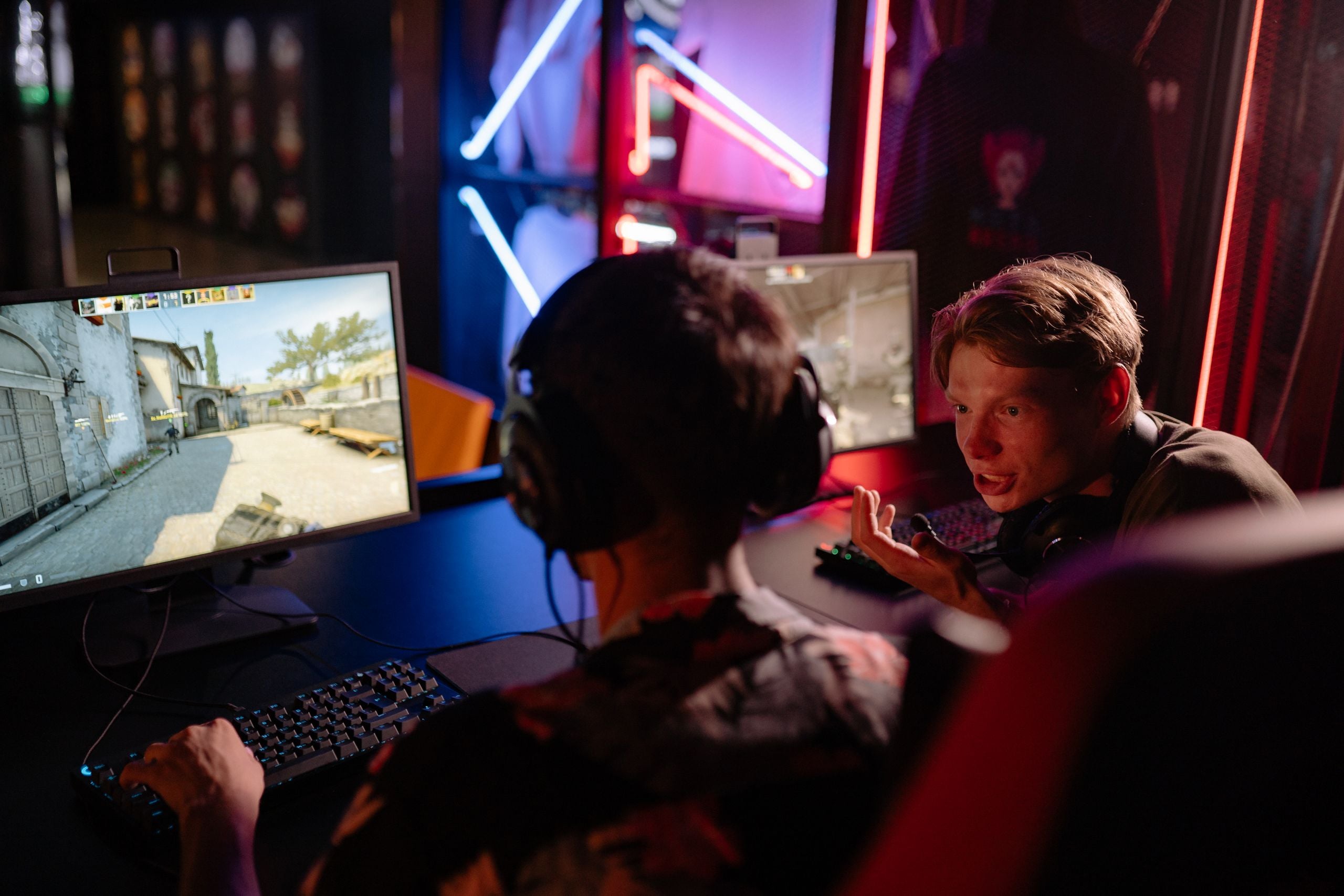
Online Gaming Safety Guide for PC Console and Mobile
Online gaming safety involves more than choosing a strong password. A modern gaming account may connect to an email address, payment method, friends list, voice chat, digital items, and other platforms. Staying safer requires secure account settings, trusted software, careful communication, controlled spending, and a clear response plan when something goes wrong.
Online gaming can describe both multiplayer video games and real-money gambling, although the two involve different risks. Casino accounts add concerns involving deposits, withdrawals, identity checks, bonus conditions, and responsible gambling controls. Adults in jurisdictions where Shuffle is lawful can use the shuffle bonus calculator to compare projected rewards before depositing, but the result is only an estimate and does not confirm that a platform, account, or payment method is secure.
Most risks can be reduced through consistent habits. Use unique credentials, turn on multifactor authentication, install games from trusted sources, restrict who can contact you, and avoid sharing personal information. Parents and carers should also understand the games children play instead of relying on parental controls alone.
Why Online Gaming Needs More Than a Strong Password
A gaming account can be valuable even when it does not have a credit card attached.
An attacker may want access to:
- Rare skins or tradable items
- Purchased games
- Virtual currency
- Marketplace balances
- Stored payment methods
- Connected social accounts
- Friends lists
- Private messages
- Established usernames
- Other accounts using the same password
The connected email account may be even more important than the game account. Anyone who controls the email may be able to reset passwords, approve new devices, or remove security settings.
This means online safety should be treated as a system. Securing the game account while leaving the email account exposed is like locking one door while leaving another open.
The gaming device matters too. A compromised PC, phone, or console account can expose login sessions, saved payment information, screenshots, recordings, and private communications.
The Main Online Gaming Risks
Online multiplayer games create opportunities to compete, cooperate, trade, and build communities. The same features can also be misused.
| Risk | Common warning sign | Immediate response | Long-term protection |
| Account takeover | Unfamiliar login alert | Secure email and game account | Unique credentials and MFA |
| Phishing | Urgent free-item message | Do not click or sign in | Verify through the official app |
| Malware | Unofficial installer or cheat tool | Delete and scan the device | Use trusted download sources |
| Harassment | Repeated abusive contact | Save evidence, block, and report | Restrictive communication settings |
| Purchase fraud | Unknown transaction | Freeze payments and contact support | Purchase approval and alerts |
| Unsafe child contact | Requests for secrecy or gifts | End contact and tell a trusted adult | Family rules and monitored settings |
Account Takeovers
Account theft often begins with password reuse.
When the same password is used for a game, email account, forum, and social-media profile, one breach can expose all of them. Attackers may automatically test stolen credentials against popular gaming services.
Fake login pages are another common route. A player may receive a message claiming that an account requires verification, a tournament entry must be confirmed, or a free skin is waiting. The page looks familiar but sends the password and security code to the attacker.
Session theft can also allow someone to access an account without learning the password. Suspicious browser extensions, unofficial launchers, and unknown files should therefore be treated carefully.
Phishing and Fake Giveaways
Gaming scams often rely on excitement or urgency.
Typical messages promise:
- Free currency
- Rare skins
- Early access
- Tournament places
- Premium memberships
- Gift cards
- Discounted game keys
- Help avoiding an account suspension
The sender may impersonate a game administrator, streamer, teammate, marketplace, or support agent. A compromised friend’s account may also send convincing messages.
Legitimate support staff should not need your password, recovery code, authentication code, or complete payment details through chat.
Do not scan an unexpected QR code merely because it appears in a gaming community. A QR code can direct the device to the same type of fraudulent page as an ordinary link.
Malware and Unsafe Downloads
Unofficial game files can carry credential stealers, remote-access tools, ransomware, or other malware.
Higher-risk downloads include:
- Cracked games
- Cheat software
- Unofficial launchers
- Fake patches
- Pirated downloadable content
- Unknown browser extensions
- Files sent through gaming chat
- Mods distributed through unverified accounts
- Performance boosters from unknown developers
Community modifications are not automatically unsafe. The risk depends on the source, requested permissions, project history, and whether other users have independently reviewed the file.
Privacy and Personal Information
Small pieces of information can be combined.
A player may never reveal a complete home address but could mention a school, sports team, work schedule, nearby landmark, and travel plan across several conversations. Together, these details may identify the person or household.
Avoid sharing:
- Full legal names
- Home addresses
- School or workplace locations
- Personal phone numbers
- Private email addresses
- Daily schedules
- Travel dates
- Password-reset answers
- Identification documents
- Photos showing addresses, uniforms, or mail
- Live location information
Usernames should not contain a birth year, full name, school, or other identifying detail.
Harassment and Cyberbullying
Competitive games can create frustration, but repeated abuse is not an unavoidable part of playing online.
Harassment may include:
- Insults or discriminatory messages
- Threats
- Repeated targeting across matches
- Impersonation
- False reports
- Sharing private information
- Encouraging others to attack an account
- Following a player across platforms
Arguing with the sender often extends the interaction. Saving evidence, blocking the account, and reporting it through the game or platform is usually more effective.
A credible threat involving violence, stalking, extortion, or exposed personal information may require escalation beyond the platform’s reporting system.
Unsafe Contact With Children
Gaming platforms can allow adults and children to meet through team play, communities, private messages, and voice chat.
Warning signs include someone who:
- Pretends to be the same age
- Sends frequent gifts or in-game currency
- Pushes conversations onto a private app
- Requests photos or video calls
- Asks about school or home routines
- Encourages secrecy from parents
- Uses threats after gaining trust
- Offers money, status, or gaming items
- Pressures the child to meet offline
Children should understand that gifts do not create an obligation. They should also know that people online may lie about their identity, age, location, or intentions.
In-Game Purchases and Trading Scams
Games can place several layers between real money and the final purchase. A player may buy virtual currency, exchange it for an item, and later trade that item through a marketplace.
This can make the true cost difficult to track.
Common problems include:
- Accidental purchases
- Misleading currency bundles
- Unauthorised spending by children
- Fake item trades
- Chargeback scams
- Stolen marketplace accounts
- Account-sale fraud
- Counterfeit game keys
- Loot-box spending
- Subscription renewals
A deal offered through private chat should not be trusted merely because the account appears experienced or displays valuable items.
How to Secure an Online Gaming Account
Account security begins with credentials, but it should not end there.
Use a Unique Password or Passkey
Every important account should have a different credential.
A password manager can generate and store long passwords without requiring the user to memorise each one. When passkeys are supported, they can reduce phishing risk because there is no reusable password to enter into a fake page.
Secure the connected email address with the same care. It should have its own unique password and multifactor authentication.
Never reuse the gaming password for email, banking, social media, streaming accounts, school systems, work accounts, or gaming forums.
Turn On Multifactor Authentication
Multifactor authentication adds another step after the password. This may involve an authenticator app, passkey, security key, or device approval.
A stolen password becomes less useful when the attacker cannot complete the second step.
For higher-value accounts, readers can learn more about hardware-backed two-factor authentication and how physical security keys protect authentication secrets.
Use the strongest method the platform supports. Text-message codes are generally better than relying on a password alone, but app-based authentication, passkeys, or hardware security keys can provide stronger protection.
Store Recovery Codes Safely
Many platforms provide backup codes when MFA is activated.
Keep these codes somewhere separate from the gaming device. A printed copy in a secure place or an encrypted password-manager entry can be more useful than a screenshot stored on the same phone that may be lost or compromised.
No legitimate player, moderator, teammate, or support representative needs your recovery code.
Review Linked Accounts
Gaming services may connect to:
- Console accounts
- Social-media profiles
- Streaming services
- Community platforms
- Marketplaces
- Payment accounts
- Third-party launchers
Remove connections that are no longer needed. An abandoned third-party account can become an indirect route into the primary gaming profile.
Check the list of authorised devices and active sessions as well. Sign out devices that are unfamiliar or no longer used.
Enable Account Alerts
Turn on notifications for:
- New logins
- Password changes
- Email changes
- Purchases
- Trades
- New linked accounts
- Security-setting changes
Fast warnings can limit the damage from an account takeover.
How to Protect the Gaming Device
Account controls cannot fully protect credentials entered on an infected device.
Install Games From Trusted Sources
Prefer official publisher sites, console stores, established app stores, and reputable authorised sellers.
Third-party key marketplaces vary in how they source products and handle disputes. Hardware Secrets’ guide to choosing trustworthy game-key sources explains why seller reputation, key origin, purchase records, and support matter.
Keep receipts and activation records until the game is working correctly.
Keep Software Updated
Update the:
- Operating system
- Console firmware
- Game launcher
- Browser
- Graphics driver
- Security software
- Game client
- Mobile gaming app
- Router firmware when appropriate
Security updates often repair weaknesses that attackers can exploit.
The US Cybersecurity and Infrastructure Security Agency’s Secure Our World guidance emphasises strong passwords, multifactor authentication, software updates, and phishing awareness as practical ways to reduce cyber risk.
Enable automatic security updates where possible. A large game patch may be worth scheduling, but critical system protection should not be postponed indefinitely.
Avoid Cheats and Suspicious Mods
Cheat developers frequently ask users to disable antivirus protection because the software interacts with the game in unusual ways. That creates an ideal opportunity for malware.
Do not switch off security tools simply because an unknown program claims the warning is a false positive.
Before installing a mod, check:
- The original project page
- Publisher rules
- File reputation
- Community history
- Requested permissions
- Independent reports
- Whether the download was recently replaced
A mod that requests administrator access, browser data, an email password, or account tokens deserves additional scrutiny.
Protect Shared Devices
On a shared PC or tablet, create separate user profiles.
This can prevent one person from accessing another user’s saved browser sessions, messages, files, or payment information.
Also use:
- A device screen lock
- Drive encryption where available
- Purchase passwords
- Automatic backups
- Remote sign-out tools
- Security scans
- Separate child accounts
- Limited administrator privileges
Watch for Unusual Network Activity
Unexpected uploads, background connections, or heavy data usage may have an innocent explanation, such as updates or cloud syncing. They can also justify checking for unwanted software.
Hardware Secrets explains how to check unexpected bandwidth usage across devices and applications.
Network activity alone does not prove malware is present, but it can help identify which program needs investigation.
How to Spot Gaming Phishing and Scams
Use a short verification routine before opening a gaming link.
Ask:
- Did the message create urgency?
- Does it promise something unusually valuable?
- Does it ask me to sign in again?
- Does the address exactly match the official domain?
- Is it asking for an authentication or recovery code?
- Did it arrive unexpectedly?
- Can I verify the claim through the official app?
- Is the sender asking me to keep the offer secret?
Type the official address yourself or open the installed application instead of following the message.
A browser warning should not be ignored because a giveaway looks attractive. Hardware Secrets’ explanation of what an unsafe-page warning means covers the risks of entering passwords, email addresses, or payment information on an insecure page.
Even an HTTPS padlock does not prove a site is legitimate. It only shows that the connection is encrypted. A fraudulent website can also use encryption.
Privacy Settings for Multiplayer Games
New accounts often use broad default settings to make social features easy to discover.
A safer starting point is to restrict access and expand it deliberately.
Review:
- Profile visibility
- Friend requests
- Direct messages
- Voice chat
- Party invitations
- Real-name display
- Activity status
- Location sharing
- Cross-platform discovery
- Screenshots and game clips
- Microphone permissions
- Camera permissions
- Community invitations
Voice chat can reveal more than the words being spoken. Background conversations, names, school announcements, smart speakers, and household routines may be audible.
Use push-to-talk or mute controls when appropriate. A headset can also reduce the amount of private background audio entering the conversation.
How to Handle Cyberbullying and Inappropriate Behaviour
Do not feel required to win an argument with an abusive player.
Use this sequence:
- Stop responding.
- Save screenshots, clips, usernames, and timestamps.
- Mute or block the account.
- Report it through the game.
- Report it through the console or platform when relevant.
- Tell a trusted adult when a child is involved.
- Escalate credible threats or suspected exploitation.
Do not publish the suspected person’s private information or attempt to organise retaliation. Public accusations can spread incorrect information and make a proper investigation more difficult.
When a child receives sexual requests, threats, blackmail, or pressure to meet offline, preserve the messages and contact the appropriate child-protection or law-enforcement channel.
Online Gaming Safety for Children
Technical controls work best when children understand why they exist.
Play the Game Together First
A parent or carer should examine:
- The game’s age rating
- Public and private chat
- Voice communication
- User-created content
- Purchases
- Trading
- Advertising
- Friend requests
- Reporting tools
- Cross-platform features
The title or visual style may not reveal the complete online experience.
Use Parental Controls
Modern consoles, mobile devices, PCs, and gaming accounts may allow parents to control age-appropriate content, purchases, daily schedules, communication, friend requests, app installation, web access, and location sharing.
| Setting | What it controls | Safer starting point |
| Profile visibility | Who sees account information | Private or friends only |
| Friend requests | Who can connect | Friends of friends or off |
| Voice chat | Who can speak to the child | Friends only |
| Direct messages | Who can send private content | Friends only |
| Purchases | Who can spend money | Password or approval required |
| Downloads | Which games can be installed | Parent approval |
| Play schedule | When the device can be used | Agreed household routine |
Settings should be reviewed after system updates because platforms may add features or change menus.
Create Family Gaming Rules
Rules should cover:
- Approved games
- Who the child may talk to
- Whether voice chat is allowed
- Purchase approval
- Personal information
- Moving conversations to other apps
- Accepting digital gifts
- Meeting online contacts
- What to do after an uncomfortable message
- When gaming should stop for the day
Rules work better when adults follow similar habits. A parent who regularly shares private information, reuses passwords, or ignores updates sends a conflicting message.
Keep Communication Open
Children may hide incidents when they expect to lose all gaming access.
Make it clear that reporting a scam, mistake, or uncomfortable interaction will lead to help first. Consequences can be discussed after the immediate safety issue is handled.
A child should have a trusted adult they can approach without needing to prove that the incident is serious enough.
Managing In-Game Purchases and Loot Boxes
Not every game purchase works the same way.
A player may encounter:
- One-time game purchases
- Expansion packs
- Subscriptions
- Cosmetic items
- Battle passes
- Randomised rewards
- Virtual currencies
- Marketplace trades
- Time-limited bundles
Loot boxes and similar randomised rewards may resemble gambling in some respects, but their legal classification differs between jurisdictions and products. Avoid assuming that every randomised game mechanic has the same legal status.
Practical spending controls include:
- Removing stored payment cards
- Requiring a password for every purchase
- Disabling one-click checkout
- Enabling transaction alerts
- Setting platform spending limits
- Reviewing purchase history
- Restricting marketplace access
- Checking refund rules
- Avoiding trades arranged through private messages
Virtual currency can make prices less obvious. Convert the item back into its real-money cost before buying it.
Time pressure also affects decisions. A countdown or limited label should not override the household budget.
Online Casino Safety Requires Extra Checks
Video games and real-money casino products can share account systems, virtual currencies, chat features, and payment technology, but they create different financial and legal risks.
Before using an online casino, an adult should verify that the service is permitted in their jurisdiction and examine more than its welcome offer.
Important checks include:
- Whether its licence can be independently verified
- Whether restricted countries are clearly identified
- Whether two-factor authentication and session controls are available
- When identity verification may be required
- How deposits, withdrawals, network fees, and minimum amounts work
- Whether bonus terms explain wagering requirements, maximum bets, and expiry conditions
- Whether deposit, loss, wager, or time limits are available
- Whether time-outs and self-exclusion are supported
- How complaints and disputed withdrawals are handled
- Whether applicable original games provide usable fairness-verification tools
Adults in eligible jurisdictions can use Fair Gambling to examine casino transparency information, bonus mechanics, security controls, and responsible gambling features before committing funds. These checks can reveal useful warning signs, but no review site, licence, security feature, or reward makes gambling risk-free.
Keep casino spending separate from ordinary video-game purchases. Never increase deposits to recover a loss, and do not use funds reserved for bills, savings, food, housing, or debt payments.
The presence of a bonus should not decide whether a platform is trustworthy. Security, legal availability, withdrawal procedures, and spending controls should be reviewed first.
Healthy Gaming Habits and Warning Signs
Enjoying long gaming sessions does not automatically mean that someone has an addiction or disorder.
The stronger warning signs involve lost control and serious negative consequences.
Watch for patterns such as:
- Regularly missing sleep
- Skipping meals or hygiene
- Repeatedly missing work or school
- Losing interest in most offline activities
- Continuing despite damaged relationships
- Spending beyond agreed limits
- Being unable to reduce play despite trying
- Using gaming to avoid every difficult emotion
- Becoming severely distressed when play stops
A universal daily screen-time rule will not fit every person. Age, health, responsibilities, accessibility needs, game type, and family circumstances differ.
A practical household plan may include regular breaks, consistent sleep times, meals away from the screen, movement, device-free responsibilities, spending limits, and a clear stopping point.
When gaming causes substantial or persistent impairment, speaking with a qualified health professional is more appropriate than trying to diagnose the problem from an online checklist.
What to Do After an Online Gaming Incident
Speed matters, but preserving evidence matters too.
| Incident | First action | Evidence to save | Who to contact |
| Account takeover | Secure the connected email | Login alerts and account changes | Official platform support |
| Unauthorised purchase | Stop further transactions | Receipts and payment records | Platform and payment provider |
| Phishing | Change exposed credentials | Message, link, and sender details | Platform security team |
| Harassment | Block the user | Screenshots, clips, and timestamps | Game and platform moderators |
| Unsafe child contact | End communication | Messages and account details | Trusted adult and relevant authorities |
After an Account Takeover
Secure the connected email account first when it may also be compromised.
Then:
- Change the gaming password.
- Revoke active sessions.
- Enable MFA.
- Review linked accounts.
- Check purchases and trades.
- Contact official support.
- Warn friends about messages sent from the account.
- Scan the device when malware may be involved.
Do not pay a stranger who claims they can recover the account through unofficial access.
After a Scam or Unauthorised Purchase
Stop additional payments and preserve receipts, messages, usernames, and transaction numbers.
Contact the platform and payment provider promptly. Chargeback rules vary, so explain the situation accurately rather than claiming that an authorised purchase was stolen.
Change any password or security code entered into a fraudulent page.
After Harassment or Unsafe Contact
Save evidence before blocking the account when it is safe to do so.
Do not continue the conversation merely to collect more material. A trusted adult, platform safety team, or law-enforcement professional can determine what additional evidence is needed.
Online Gaming Safety FAQs
How safe is online gaming?
Online gaming can be made considerably safer, but no platform is risk-free. Use unique credentials, enable multifactor authentication, keep devices updated, restrict communication settings, and avoid unknown links or downloads. Children also need age-appropriate controls and open communication with trusted adults.
Why is online gaming safety important?
Gaming accounts may contain personal information, payment methods, purchased games, virtual items, and private messages. They also connect players with strangers through chat and multiplayer features. A security problem can therefore lead to financial loss, account theft, harassment, malware, or exposure of personal data.
What are the most important online gaming safety rules?
Use a unique password or passkey, enable MFA, protect the connected email account, install software from trusted sources, keep the device updated, and never share login or recovery codes. Restrict who can contact you and report suspicious behaviour early.
What are the main risks of playing games online?
Major risks include account theft, phishing, malware, privacy loss, cyberbullying, unsafe contact, fraudulent trades, unexpected purchases, and harmful spending or play patterns. The risk level depends on the game, platform, settings, device, and player’s habits.
How can I protect my gaming account from hackers?
Use a unique credential, turn on MFA, secure the email address, save recovery codes safely, review connected accounts, and enable login alerts. Avoid signing in through links sent in chat, and never provide an authentication code to someone claiming to be support staff.
Is it safe to use the same password for gaming and email?
No. If one service is breached, attackers may test the exposed password against the other account. The email account can often reset the gaming password, making password reuse particularly risky. Give both accounts separate credentials and MFA.
How can parents keep children safe while gaming online?
Parents should understand the game’s chat, spending, friend, and content features. Use age ratings and parental controls, require purchase approval, restrict messages, and establish family rules. Children should know they can report uncomfortable interactions without automatically losing access to gaming.
What personal information should gamers never share?
Avoid sharing home or school addresses, phone numbers, private email accounts, daily schedules, travel plans, passwords, recovery answers, identification documents, and photos containing identifying details. Small pieces of information can be combined to identify a player.
What should I do after clicking a fake gaming link?
Close the page and do not download anything. If you entered a password, change it through the official platform and secure the connected email account. Revoke active sessions, enable MFA, scan the device, and report the message or sender.
How can I control in-game purchases?
Remove stored payment methods, require a password or parental approval, enable transaction notifications, set spending limits, and review purchase history. Convert virtual-currency prices into real money before approving them and avoid trades arranged through private messages.
What should I do about cyberbullying in a game?
Stop responding, save screenshots or clips, block the account, and report it through the game and platform. Tell a trusted adult when a child is involved. Credible threats, stalking, exposed personal data, or suspected exploitation may require further escalation.
What are the warning signs of harmful gaming behaviour?
Warning signs include lost control, repeated sleep disruption, neglected responsibilities, severe conflict, spending beyond limits, and continuing despite serious harm. Long sessions alone do not establish a disorder. Persistent impairment should be discussed with a qualified health professional.
Are loot boxes the same as gambling?
Not automatically. Loot boxes involve randomised rewards and may share some features with gambling, but legal definitions differ between jurisdictions and products. Regardless of classification, players and parents should use purchase controls, spending limits, and clear real-money cost comparisons.
A Safer Way to Play Online
Effective online gaming safety combines technology with judgment.
Protect the email account as well as the game account. Use unique credentials and MFA, install software from trusted sources, update devices, and limit personal information.
Parents should combine technical controls with regular conversations. Players should block and report suspicious behaviour early rather than trying to handle every incident alone.
Real-money gambling requires additional checks involving legality, withdrawals, security controls, bonus terms, and fixed spending limits.
No setting can remove every risk, but consistent habits can make gaming accounts, devices, purchases, and online communities substantially safer.