Why Low Latency Matters More Than Raw Power for Real-Time Online Experiences
Somewhere in every PC enthusiast’s journey, there’s a moment of quiet betrayal. You’ve just dropped serious money on a new GPU, benchmarks look gorgeous, frame counter is sitting comfortably above 200, and you still get outdrawn in a gunfight by someone running hardware half as good as yours. Turns out the missing piece was never the graphics card. It was the twenty milliseconds hiding somewhere between your mouse click and the server actually registering it.
That gap is latency, and it’s arguably the least glamorous, most underrated variable in real-time computing.
Raw Power Is Only Half the Equation
A powerful GPU renders frames beautifully, but rendering has nothing to do with how fast your input actually reaches the game server or how fast the server’s response gets back to your screen. Two entirely different pipelines, often confused as one.
Competitive shooters make this painfully obvious. A player on a mid-range rig with a wired connection and a wired mouse polling at 1000Hz will frequently out-react someone running flagship hardware over a congested Wi-Fi network. The industry even has a name for the total delay — “input-to-photon” latency — and it accounts for everything: mouse polling rate, USB processing, CPU frame pacing, network round-trip, and display refresh. Raw GPU horsepower touches maybe one link in that chain.
Where the Milliseconds Actually Hide
Most people assume network latency is the villain, and sure, it matters, but it’s rarely the biggest offender anymore. Fiber connections and modern ISPs have gotten genuinely fast. The sneakier delays live closer to home:
- Peripheral and USB polling delays, where a cheap keyboard or mouse running at 125Hz instead of 1000Hz can quietly add 6-8 milliseconds before your input even leaves the desk.
- Display processing lag, where TVs and budget monitors run image-enhancement pipelines that add anywhere from 20 to 60ms — invisible during a movie, catastrophic during a duel.
Stack those together and you can lose more time to your own desk setup than to the actual internet connection carrying the data halfway across a country.
It’s Not Just Gaming Anymore
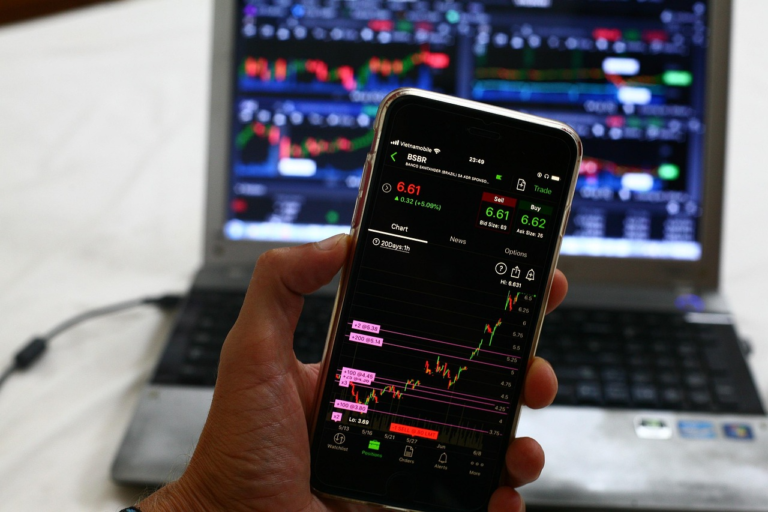
This latency obsession has quietly spread into every industry built around real-time interaction. Financial trading platforms measure round-trip time in microseconds and pay for physical proximity to exchange servers just to shave off a fraction of a millisecond. Live-streaming platforms fight the same battle to keep chat and video in sync. Even betting platforms live and die by this — a site like dafabet updates odds in real time as a match unfolds, and a delay of even a second or two between an event happening and the platform reflecting it can mean the difference between a fair price and a frustrated user hitting refresh. It’s a small, almost throwaway example, but it says something bigger: once an experience becomes “live”, latency stops being a technical footnote and becomes the entire product.
The Cloud Gaming Reality Check
Cloud gaming services exposed this whole issue to a much wider audience than competitive esports ever did. Suddenly, casual players who’d never think twice about ping numbers were experiencing input lag firsthand — click a button, wait a visible beat, watch the character move. Services like GeForce NOW and Xbox Cloud Gaming have poured enormous engineering effort into shaving latency down through regional server placement and predictive frame delivery, and the difference between a good and mediocre cloud gaming session usually comes down to geography and network path far more than the specs of the server actually rendering the game.
So What Should You Actually Upgrade?
If the goal is a genuinely responsive setup, the priority list looks different from the usual “buy a bigger GPU” advice. A wired ethernet connection beats Wi-Fi almost every time, even a mediocre wired one. A monitor’s actual response time and input lag rating matters more than its resolution for anything competitive. Router quality-of-service settings, USB polling rates, even the length and quality of a cable can shift the numbers more than people expect.
None of this means raw power is irrelevant — a weak GPU still tanks frame rates, and low frame rates absolutely hurt responsiveness too. But treating GPU strength as the only lever worth pulling misses most of where the actual delay is happening. The fastest-feeling setups tend to be the ones built by people who stopped chasing bigger numbers on a spec sheet and started chasing smaller numbers on a latency meter instead.